Why open a DAW to play an instrument?
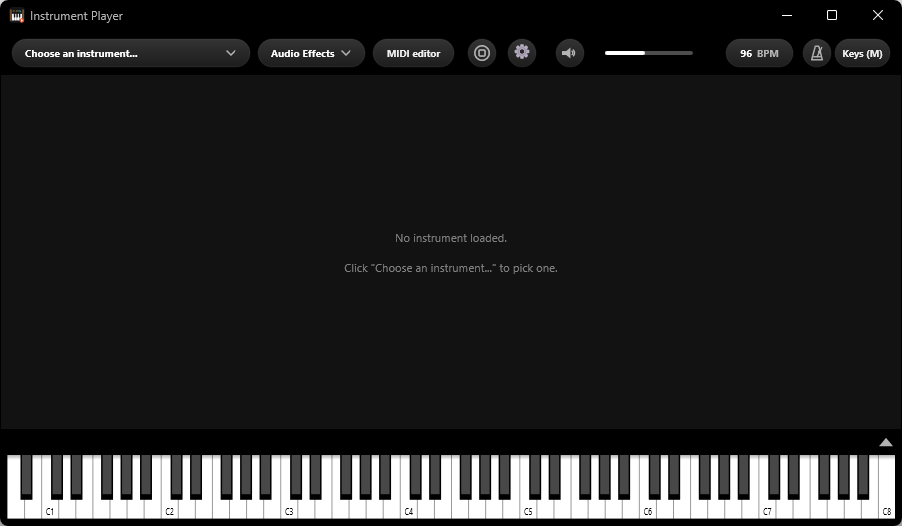
Fig. 1 — Open it and pick an instrument Click to enlarge
Free launch month
Instrument Player will be free for its first month, and anyone who claims it then keeps it for good.
Starts in
Free launch month
For its first month, Instrument Player is free. Claim a license now and it’s yours to keep — the license never expires and keeps working for good.
Every update released during the free month is included, so fixes reach you too. From October 20, new versions come with the paid app — your free license keeps working, for good, on the last free-month version.
Windows will probably warn you. Instrument Player isn’t code-signed yet, so the first time you run the installer Windows may show a blue “Windows protected your PC” box. Choose More info, then Run anyway. That warning is about a certificate we haven’t bought yet, not about the file — and dismissing it never uses up your license. More on this
Free for another , then $10
Free during the launch month. No payment, no card.
Payment is handled by Paddle.com, our Merchant of Record — YBK Audio never sees your card details. Instant delivery by email.
By purchasing you agree to the Terms.
Our payment provider’s checkout couldn’t load. This is usually an ad or tracker blocker, or a connection that dropped for a moment. Reload the page and press Purchase again.
Windows & Mac
Install Instrument Player, open it, and paste in the license code from our email. The code and the app are separate: the app always downloads from here.
Beta, not signed by Apple yet: the first time, open System Settings > Privacy & Security and click Open Anyway.
One computer at a time — please read. Your code runs on one computer at a time. Changing computers? Open Settings in the app on the old one and press Release license, then enter the code on the new one. If the old computer has broken down, write to us and we’ll release it for you. A license can be moved once every 30 days.
Demo — see it in action Watch on YouTube
Play your VSTs without opening the DAW. Switch between massive instrument banks with little latency.
No one said idea generation had to start in a heavy DAW. Instrument Player helps you get closer to your instruments without having to enter work mode all the time.
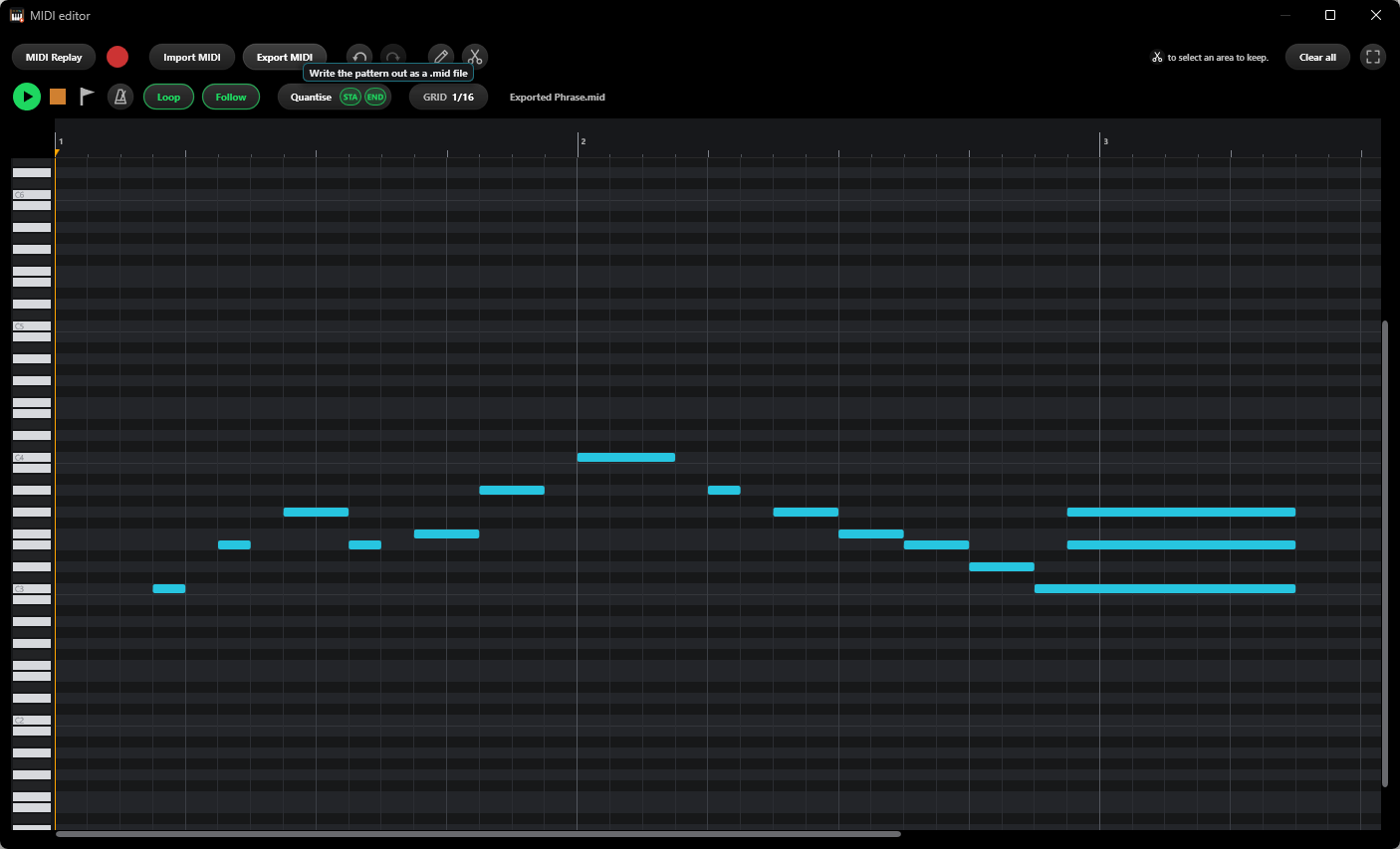
It remembers what you play. The app provides MIDI replay, which brings back the last 5 minutes of your playing. Load up your sudden ideas and make small edits via the MIDI editor, and export the .mid file for later use.
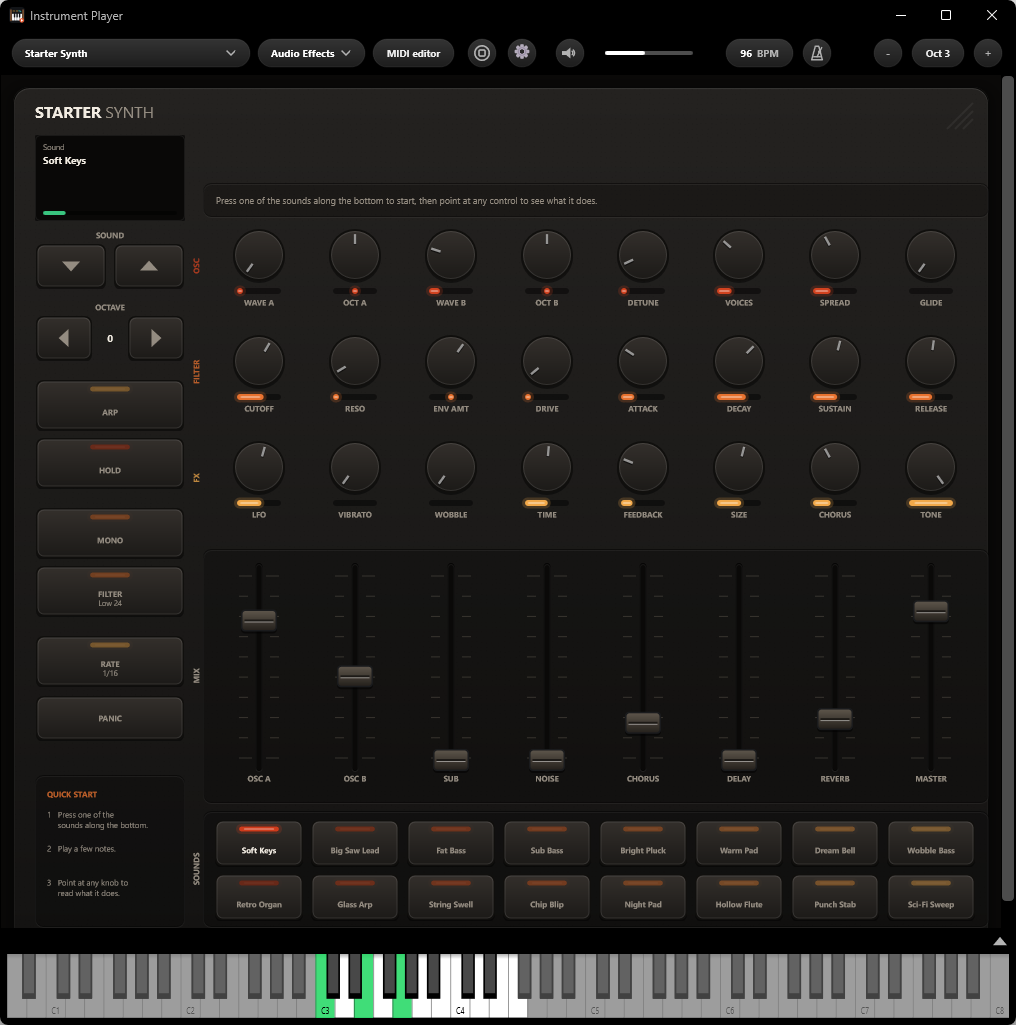
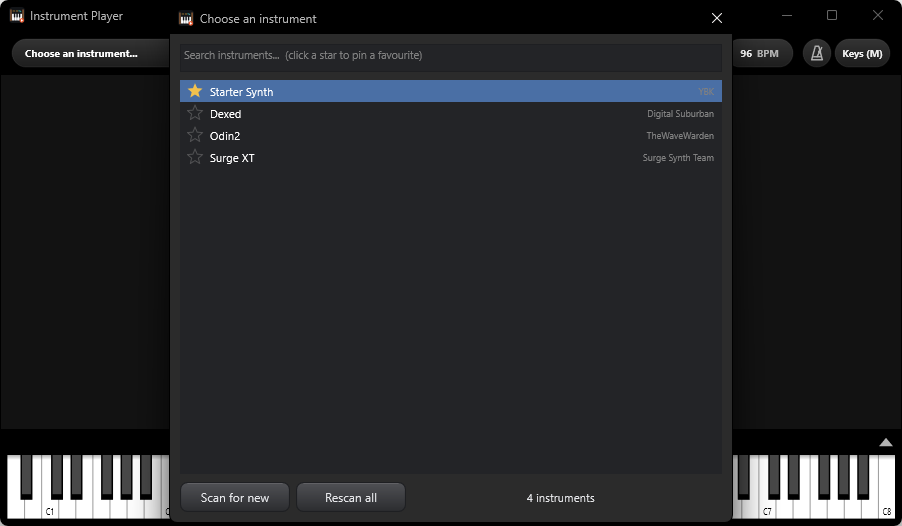
Every VST3 instrument on your PC in one searchable list, effects filtered out and favourites pinned to the top. Pick one and it opens at its own size, ready to play.
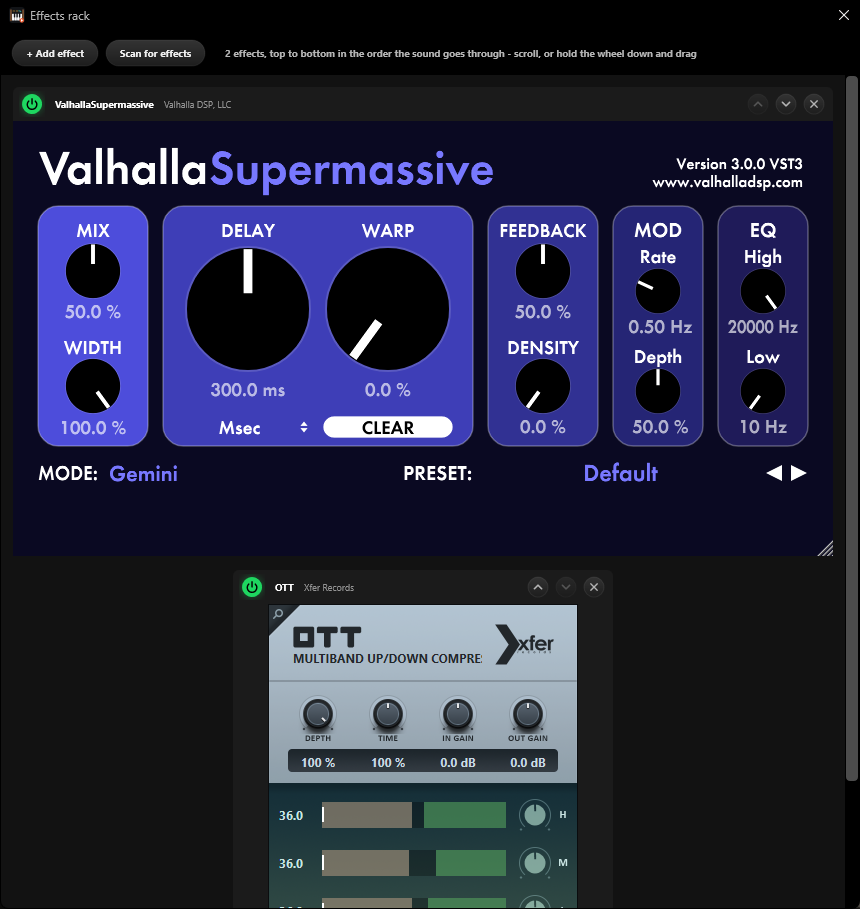
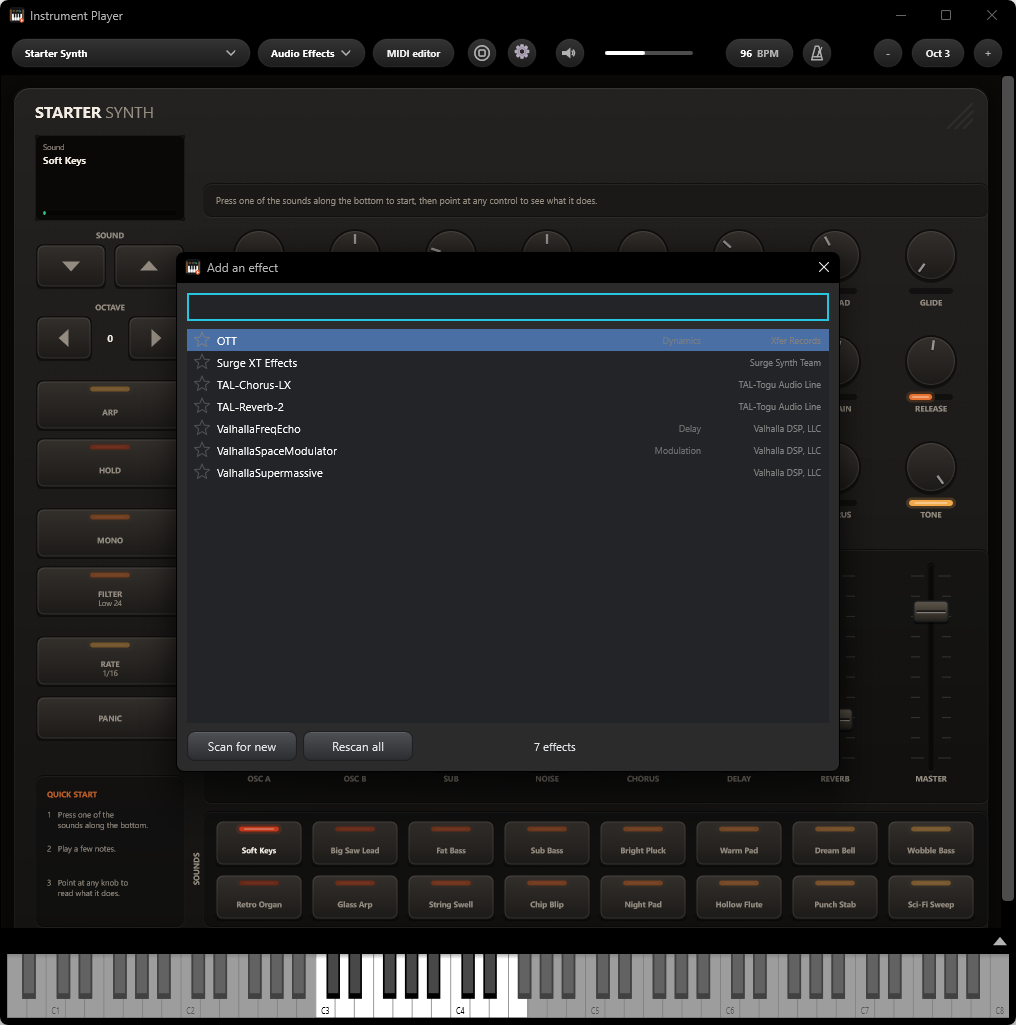
Chain your own VST3 effects after the instrument, in the order the sound runs through them. The list tells you what kind each effect is.
The last 5 minutes of your playing are always in memory — nothing to arm, nothing to press. What you played while warming up is still there, exactly as you played it.
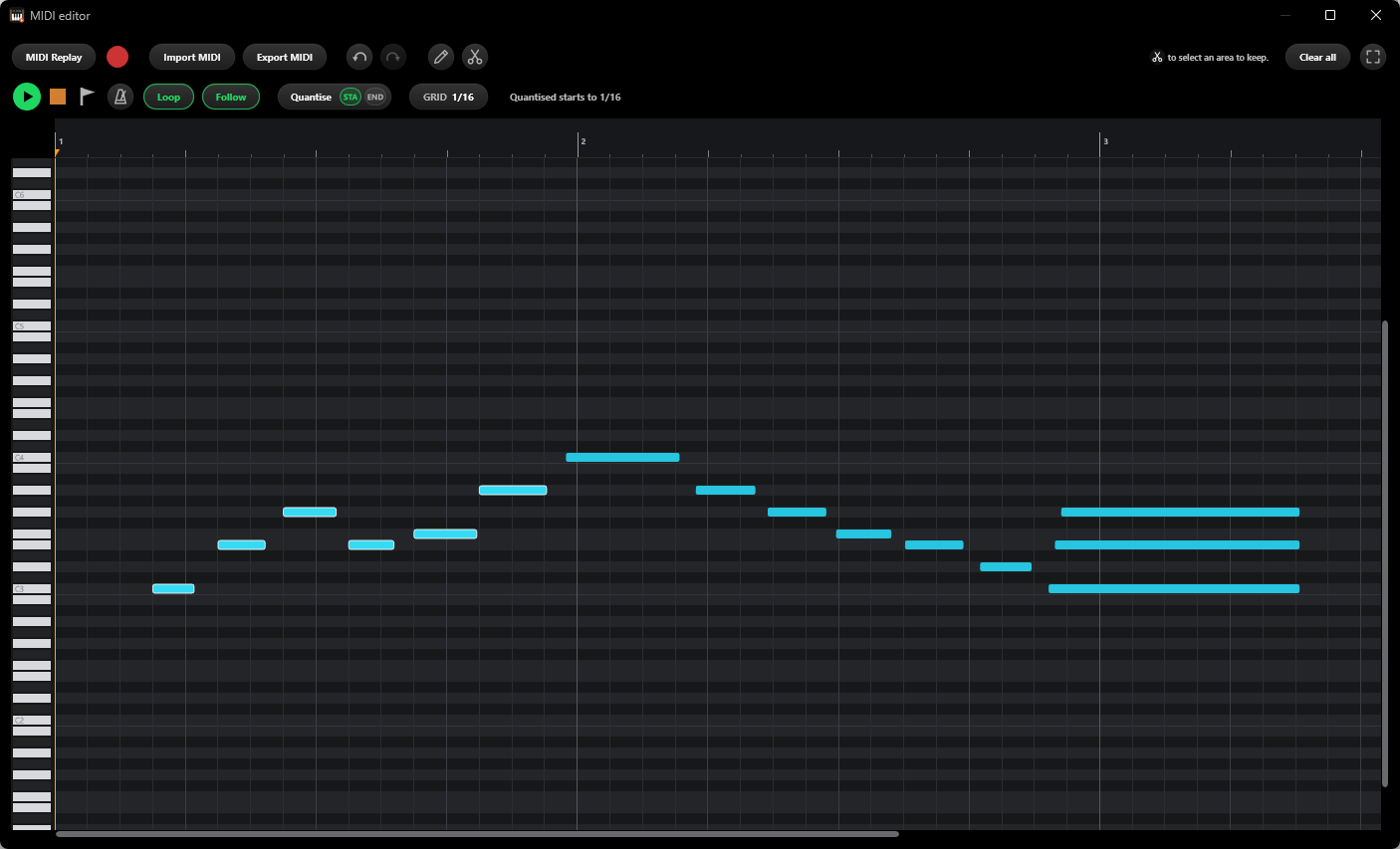
Quantise, copy, paste, duplicate, box select and zoom on a tempo grid, then export a standard .mid file for your DAW. MIDI — the notes you played — not audio.
Press M and your keyboard becomes a piano: one row, or two rows for over two octaves, with Z and X or [ and ] to change octave, or keys of your own. Every real MIDI input still works at the same time, including ones plugged in while the app is running.
| Type | Standalone desktop application |
|---|---|
| Hosts | VST3 instruments installed on your system (effects are filtered out) |
| Plugin scan | Separate process · scan new only or rescan all · favourites |
| Input | All MIDI inputs, hot-plug · computer keyboard (M), one or two rows, Z/X or [ ] for octaves |
| MIDI capture | MIDI Replay, always on · Record · piano-roll editor |
| Files | Export and import standard .mid — MIDI only, no audio recording or export |
| Audio | WASAPI shared or exclusive · DirectSound |
| Remembers | Last instrument and its patch, audio device, output volume |
| Platform | Windows 10 / 11 |
| Licence | One computer at a time — move it to a new one from Settings, once every 30 days |
| Price | $10.00 — one-time, no subscription |
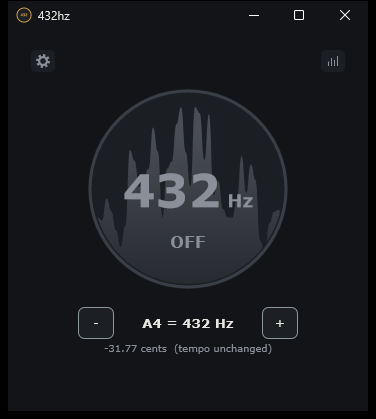
Your whole computer sound, retuned
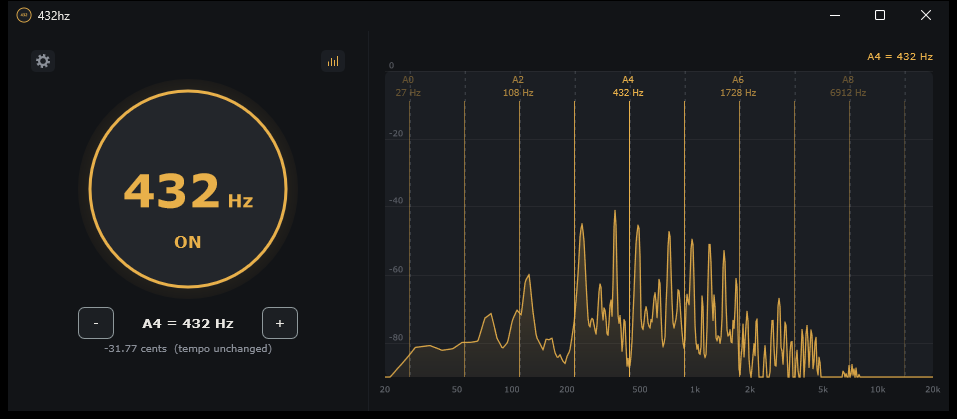
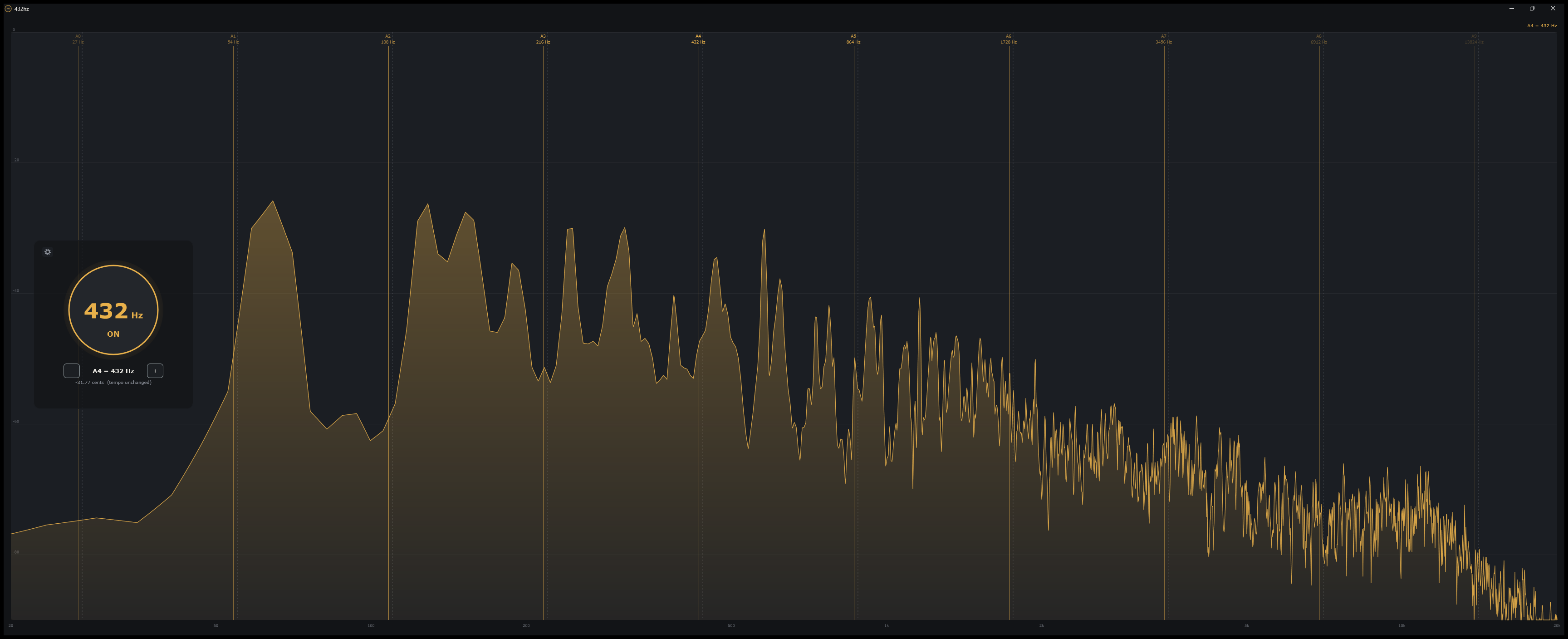
Fig. 1 — Maximised, the spectrum fills the screen: here at A4 = 432 Hz, with every A marked Click to enlarge
Windows & Mac
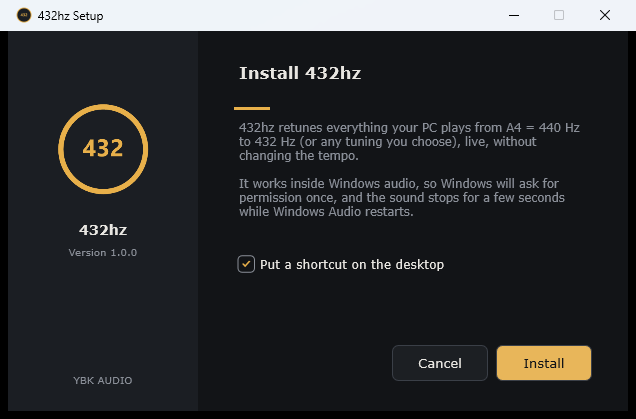
432hz is free, for Windows and Mac. No email, no license code, nothing to activate: download it and open it.
On Windows, Windows will probably warn you. 432hz isn’t code-signed yet, so the first time you run the installer Windows may show a blue “Windows protected your PC” box. Choose More info, then Run anyway. That warning is about a certificate we haven’t bought yet, not about the file. More on this
On a Mac, macOS will warn you too. Open the .dmg and drag 432hz into Applications. 432hz isn’t signed by Apple yet, so the first time you open it macOS says it can’t verify the app: go to System Settings > Privacy & Security and click Open Anyway. Then allow System Audio Recording when macOS asks — without it, 432hz can’t hear anything to retune.
If you’d like to support it, name a price. Anything you add helps us make your experience better — the app is exactly the same either way.
Payment is handled by Paddle.com, our Merchant of Record — YBK Audio never sees your card details.
An idea from the 432Hz trend – what if you could retune your computer’s entire audio output to your liking? YBK AUDIO’s light app 432Hz does that in a very simple and easy way.
Open the spectrum graphs to see the frequency change as the numbers go down and up. This app is great both for visual analysis, teaching and everyday listening.
Who knows, maybe hearing everything in 432Hz really is good for you.
Your browser, music player, games, video calls, your DAW — whatever your computer plays to your speakers or headphones is retuned. It works inside the system’s own audio, so there’s nothing to set up in each app.
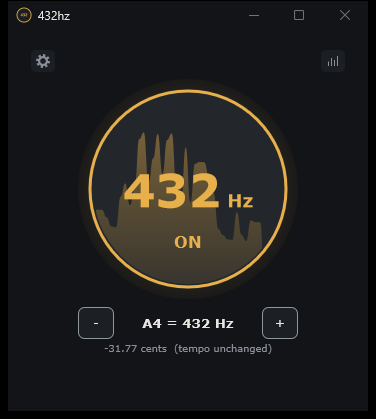
The big button switches between your new pitch and the original while the music keeps playing — no click, no gap. Left-click the gold ring by the clock to do the same from the tray.
Set A4 anywhere from 1 Hz to 20,000 Hz: step with − and + (hold to repeat), or double-click the number and type it. Prefer to think in C? Tune by C4 instead.
Open the spectrum and every A (or C) of your tuning is marked, from the lowest octave to the highest. Maximise the window and it fills the screen.
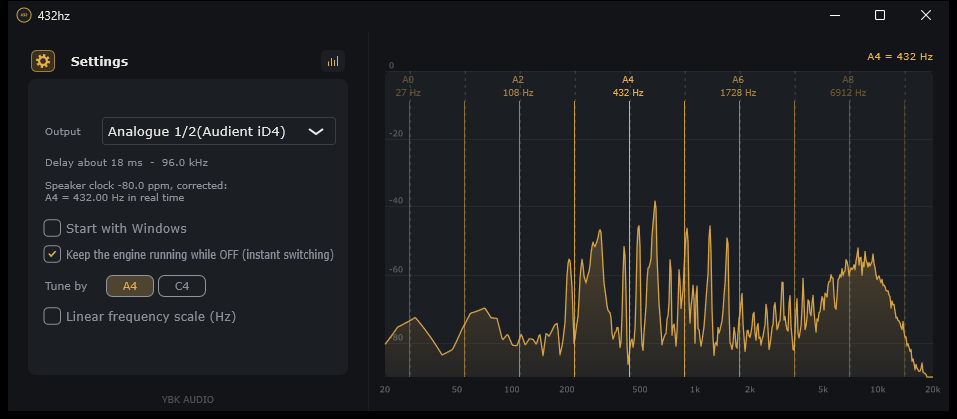
Every speaker’s clock runs a little fast or slow. 432hz measures yours and corrects for it, so the pitch comes out exactly where you set it — a 440 Hz tone really becomes 432 Hz at A4 = 432.
Close the window and 432hz keeps going from the tray (the menu bar on a Mac). Turn on Start with Windows (Open at login on a Mac) and every session starts at your pitch. Uninstall it and your sound is back exactly as it was.
| Type | Desktop app with a tray / menu-bar icon · changes the pitch of all system audio |
|---|---|
| Pitch | Any A4 from 1 to 20,000 Hz, or set by C4 · tempo unchanged · starts at A4 = 432 Hz (−31.77 cents) |
| Accuracy | Within two semitones of 440 (432 included): within 0.2 cents from 41 Hz to 4 kHz · bigger shifts: within about 4 cents, though far downward shifts can leave the lowest notes up to 35 cents off · speaker clock drift corrected |
| Delay | On Windows: about 10–20 ms within two semitones of 440, about 120 ms for bigger shifts · CPU about 1.5–2% |
| Works with | Windows: apps that play through Windows’ normal (shared) audio — ASIO and exclusive-mode audio bypass Windows’ audio engine and are not tuned. Mac: what macOS plays, through its system-audio tap. |
| Install | Windows: one administrator prompt for the Windows audio step · the sound drops for a few seconds while it installs · speakers added later (new USB or Bluetooth) are retuned after running the installer again. Mac: drag 432hz into Applications · allow System Audio Recording when asked |
| Uninstall | Windows: Settings > Apps — your speakers go back to how they were. Mac: quit it from the menu bar and drag it to the Trash; it changes nothing in the system |
| Platform | Windows 10 / 11, 64-bit · macOS 14.2 (Sonoma) or later, Apple Silicon and Intel |
| Price | Free · pay what you want, if you like |
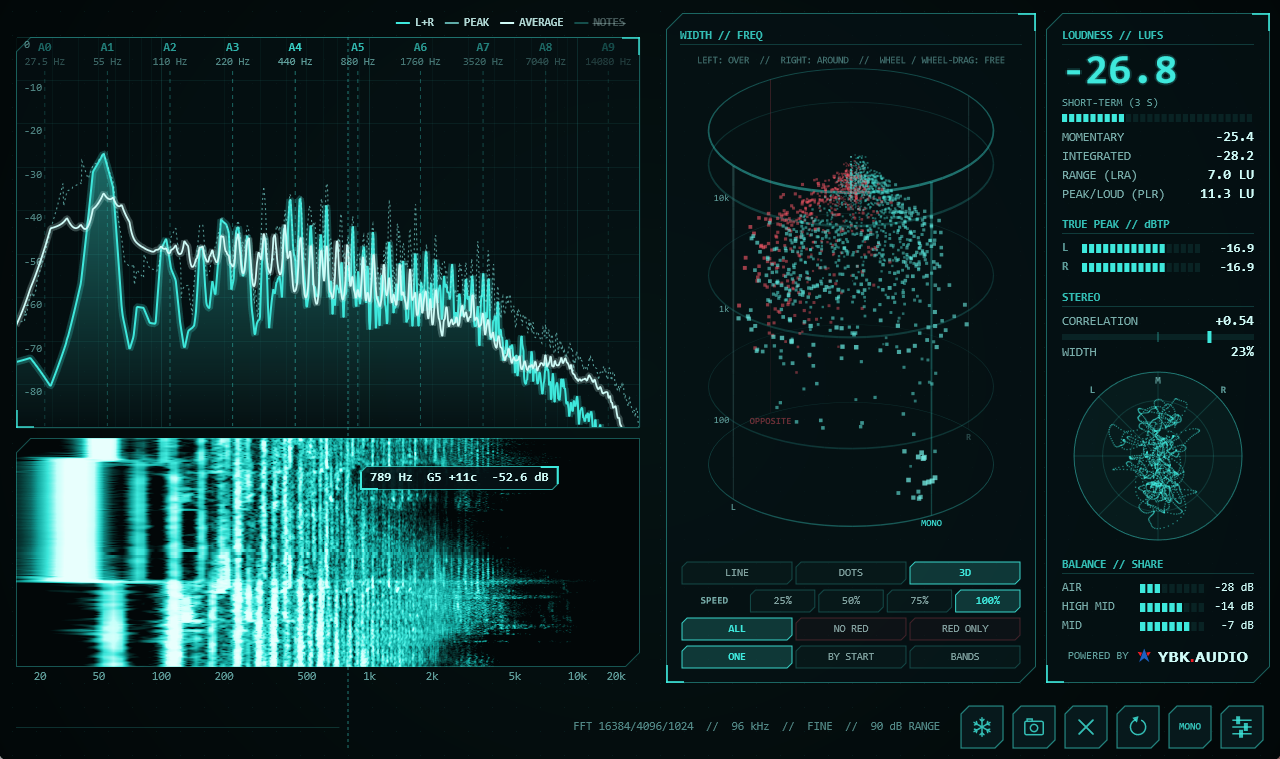
The ultimate 3D Stereo Imaging tool.
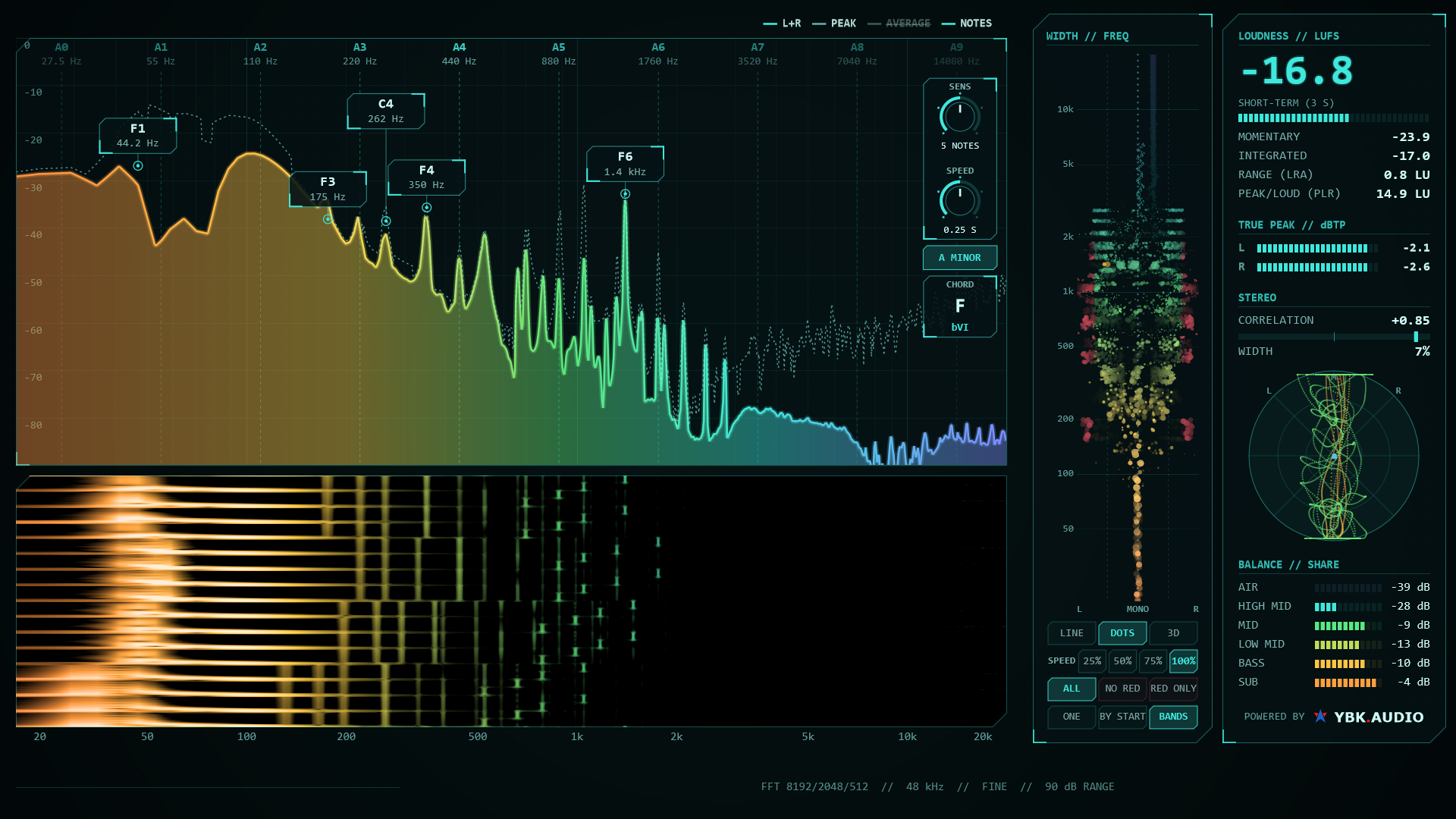
Fig. 1 — Spectrum, waterfall, stereo width in 3D and loudness on one screen Click to enlarge
Try for free
Download Visualize and open it: the 7-day free trial starts on its own, no code needed. Buy a license any time and paste in the code from our email to keep it after the trial.
Beta, not signed by Apple yet: the first time, open System Settings > Privacy & Security and click Open Anyway, then allow System Audio Recording once.
Launch price until Nov 6, 2026, then $29. Payment is handled by Paddle.com, our Merchant of Record — YBK Audio never sees your card details. Instant delivery by email.
By purchasing you agree to the Terms.
Our payment provider’s checkout couldn’t load. This is usually an ad or tracker blocker, or a connection that dropped for a moment. Reload the page and press Purchase again.
One computer at a time — please read. Your code runs on one computer at a time. Changing computers? Release the license in the app on the old one, then enter the code on the new one. If the old computer has broken down, write to us and we’ll release it for you. A license can be moved once every 30 days.
The idea came from a mixing course – what if we could Visualize the locations of each sound in a mix? The pad at the back, the bass and kicks at the bottom, mono and stereo instruments kicking in right and left, the vocals. We were working on that idea when we came up with an idea to extend a stereometer by frequency.
You can find stereo imaging anywhere. But not in 3D.
Visualize proposes a new way of stereo image analysis. From a cylinder-shaped Vectorscope stacked up every frequency, to a monitoring environment that measures Mono loss, we provide groundbreaking 3D graphs you can use to analyze a song’s phasing. Use the app standalone or as a plugin.
One vectorscope per frequency, stacked up into a cylinder from bass to highs. The front is mono, the sides are left and right only, the back is sound that cancels in mono. Drag to turn it.
See where each sound appears between your speakers, and what the speakers fill the room with.
Each sound is a cloud at its place in the mix: left and right is its pan, height is its pitch, the front is loud, and a wide cloud means its left and right are unalike.
Switch the colours to STEMS and an AI colours every graph by instrument: vocals yellow, drums blue, bass violet, everything else green. It runs about a second behind the music.
Every frequency, measured: left and right is its level balance, height is its pitch, the back is what gets lost when the mix is summed to mono. Inside the faint target shape is mono-safe; dots outside it stand out.
The loudest peaks are labelled with their note, like “F1 · 44 Hz”. One click listens for about 8 seconds and estimates the song’s key; a chord box then shows the chord playing now and its place in the key. Loudness (LUFS, true peak) and the spectrum are always on screen.
| Type | Full-screen desktop app · listens to everything your computer plays |
|---|---|
| Shows | Spectrum and waterfall · note labels · key and chord (estimates) · peak, average and snapshot curves |
| Loudness | Momentary, short-term and integrated LUFS · LRA · PLR · true peak in dBTP · measured the EBU R128 / ITU-R BS.1770 way |
| Stereo | Width per frequency (line, dots, 3D) · goniometer · polar · width per band · correlation · balance per range |
| Listen tools | Optional: mono, cancelling parts only, or everything but them · need VB-CABLE, a free separate download not made by us |
| Platform | Windows 10 / 11, 64-bit · Mac (beta): macOS 14.2 or later |
| Price | $19 launch price until Nov 6, 2026, then $29 · one-time · 7-day free trial |
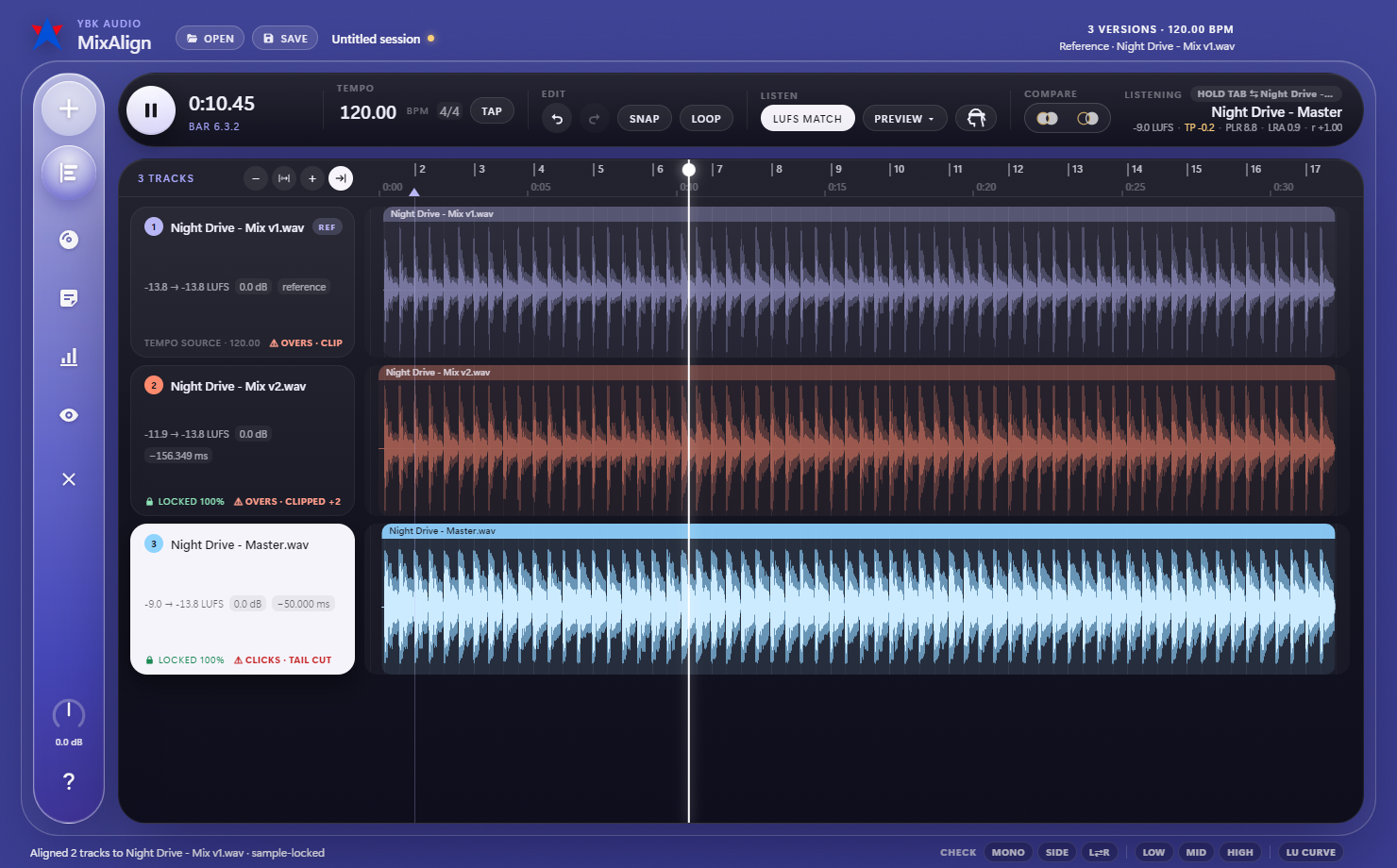
Compare every version of your song, aligned to the sample.
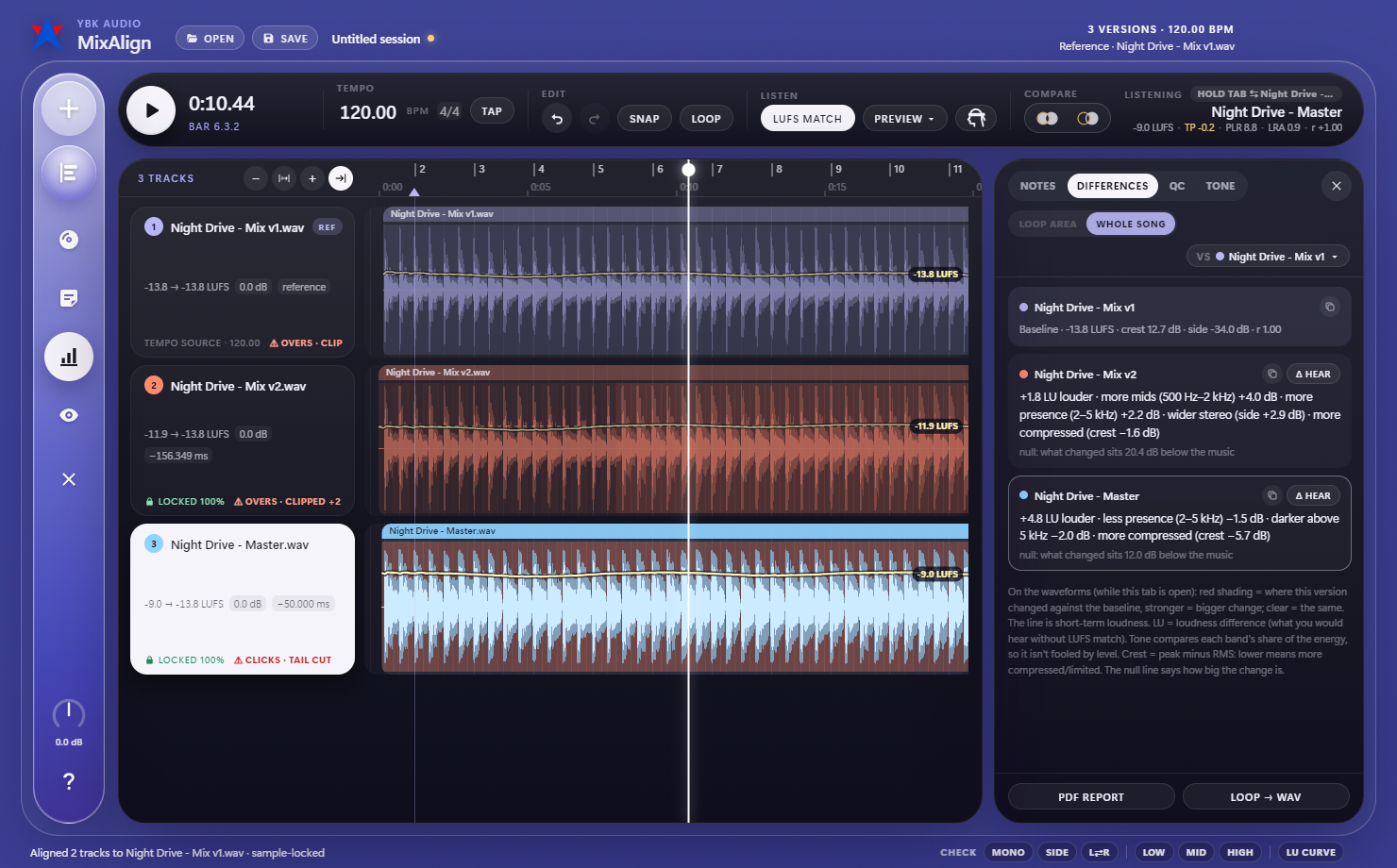
Fig. 1 — Two mixes and the master, lined up to the sample on one timeline Click to enlarge
Try for free
Install MixAlign and press Start free trial — no card needed. To keep using it, buy a license below and paste the code from our email into the app.
Beta, not signed by Apple yet: the first time, open System Settings > Privacy & Security and click Open Anyway.
Payment is handled by Paddle.com, our Merchant of Record — YBK Audio never sees your card details. Instant delivery by email.
By purchasing you agree to the Terms.
Our payment provider’s checkout couldn’t load. This is usually an ad or tracker blocker, or a connection that dropped for a moment. Reload the page and press Purchase again.
One computer at a time. Your code runs on one computer at a time. Changing computers? Open About in MixAlign on the old one and press Release license, then enter the code on the new one. If the old computer has broken down, write to us and we’ll release it for you.
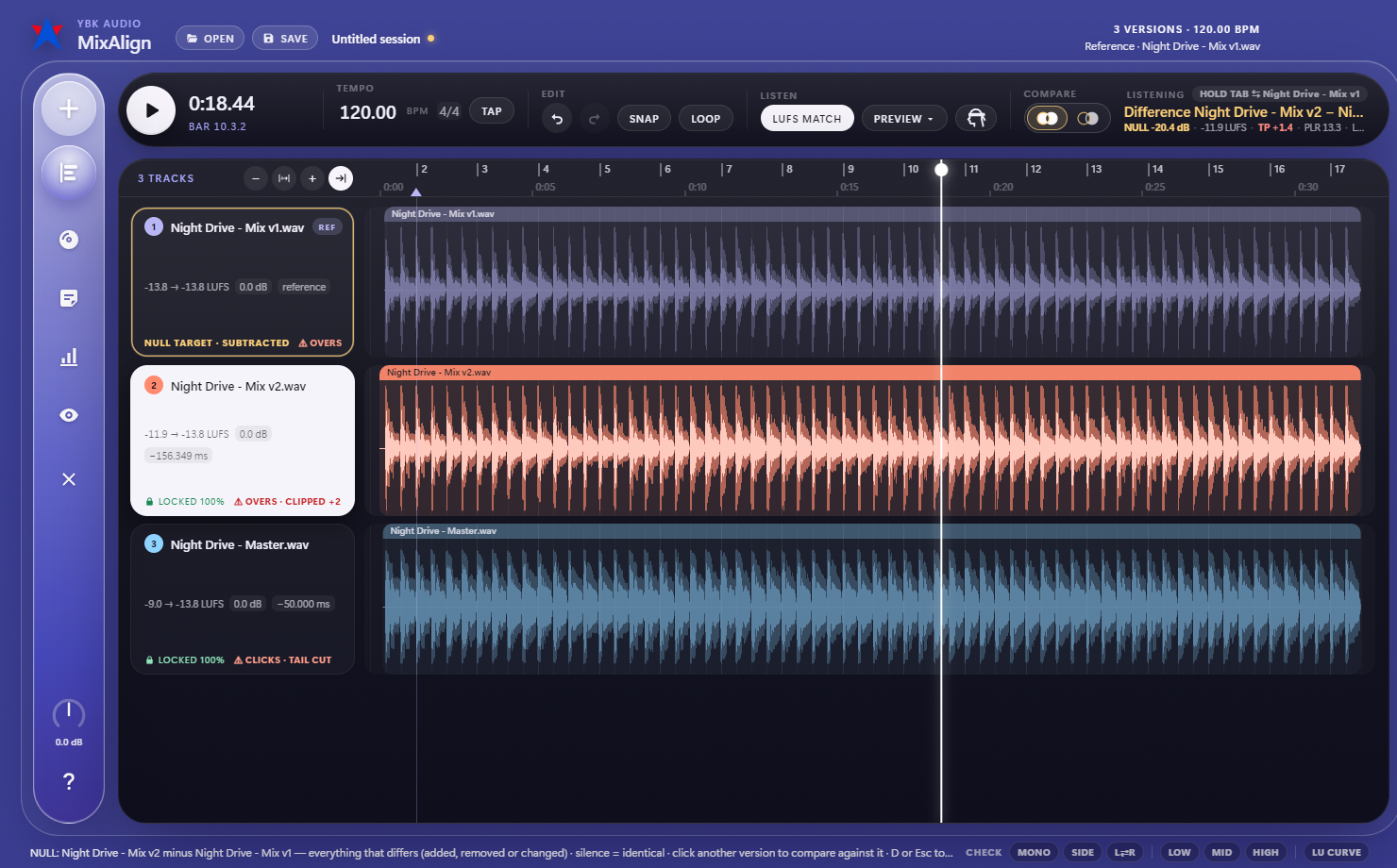
Switch instantaneously between different versions to hear differences. One click and you will be hearing another version of your mix with no delay – all easily possible because we auto-align your uploaded mixes with beat detection. Also you can check the analysis panel, which provides written description on differences between versions. The app provides difference/null buttons to hear just the differences, so you can check and compare yourself.
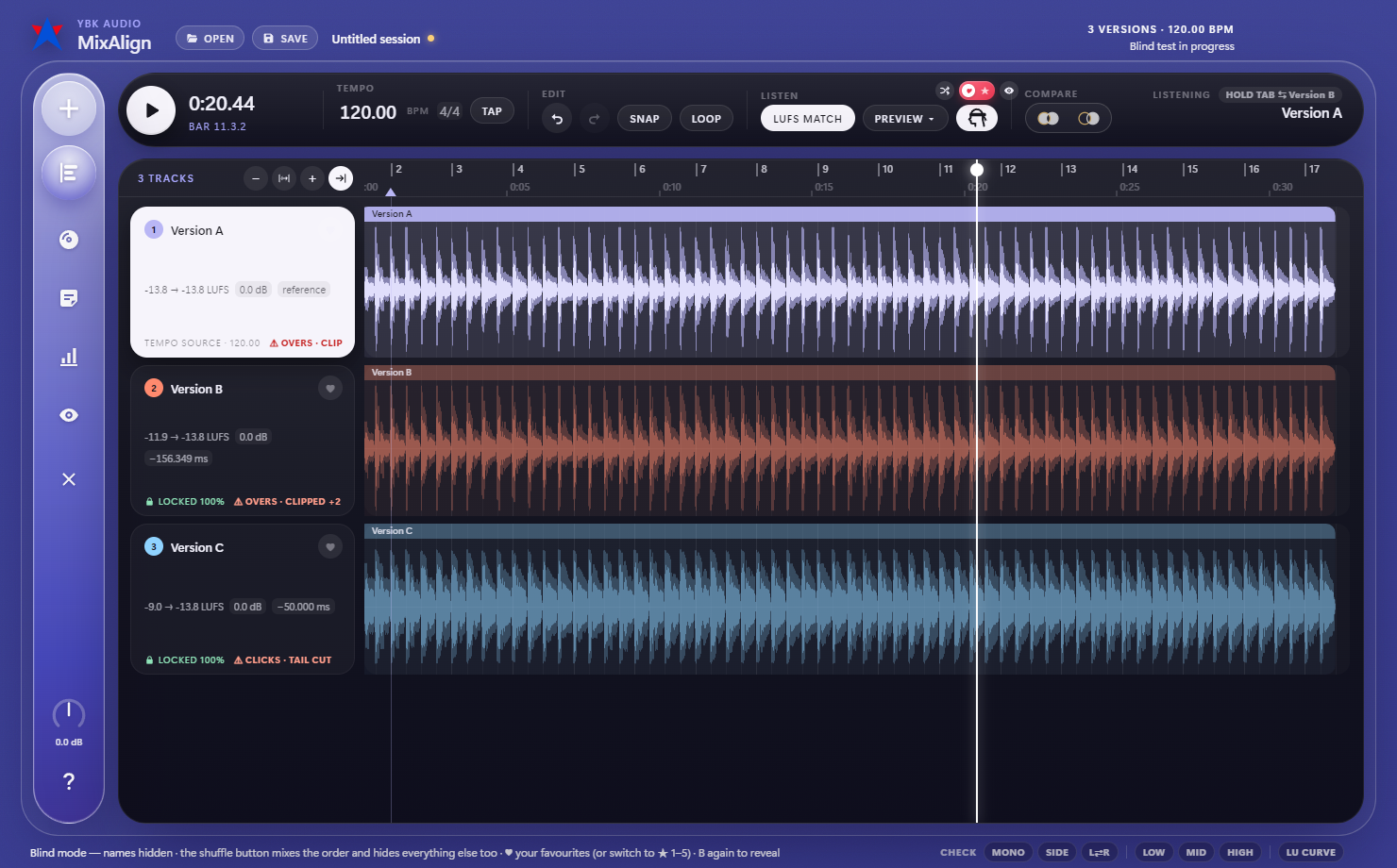
Blind test & Annotate. Hide track names and test your decision on what’s better. Rate each track you go through with stars to come back to them. When you’re sure on what you think is best, make the big reveal to find out which track to share. Also while sharing, you can leave your thoughts on the timeline of each track and export them as PDF for whoever to see.
Every version snaps to the first one, sample-exact, however much silence it starts with. Edits that cut or move a section are placed part by part, and the first file sets the tempo grid.
NULL plays everything that isn’t the same in two versions — silence means identical. DIFF plays only what the selected version added. Hold Δ HEAR to listen for a moment and let go to come back.
For every version against your baseline: louder or quieter, brighter or darker, wider or narrower, more or less compressed — over the whole song or just the loop.
Hide the names, shuffle the order, and pick a favourite or rate 1–5 stars. Press reveal to see which version you really preferred.
| Type | Desktop app for comparing versions of one song |
|---|---|
| Files | WAV, AIFF, FLAC, MP3, M4A, OGG and more · as many versions as you like |
| Alignment | Sample-exact · different start times and edited sections · tempo grid from the first file |
| Listening | Gapless switching · LUFS match · NULL and DIFF · mono, side and low / mid / high checks · streaming preview |
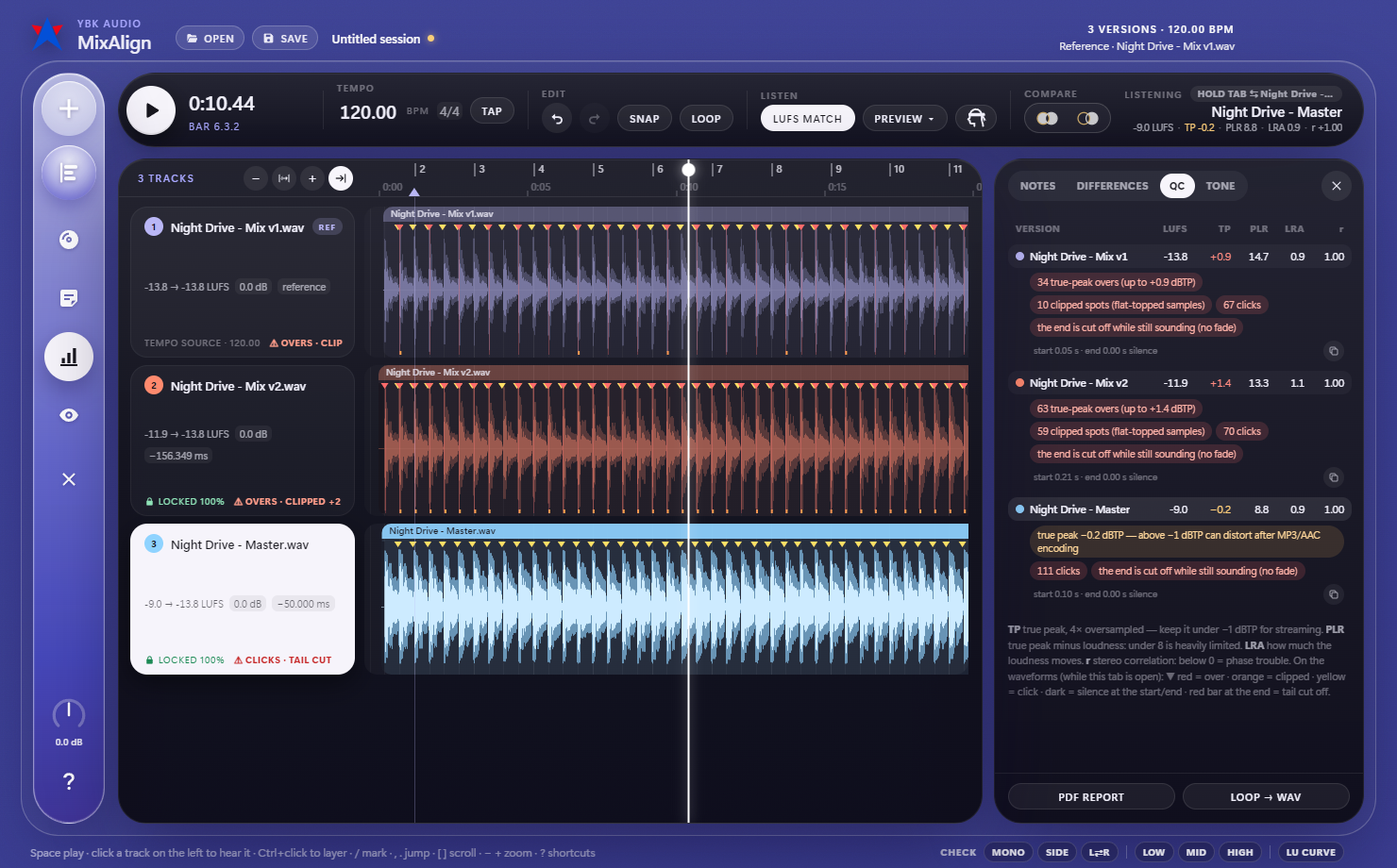
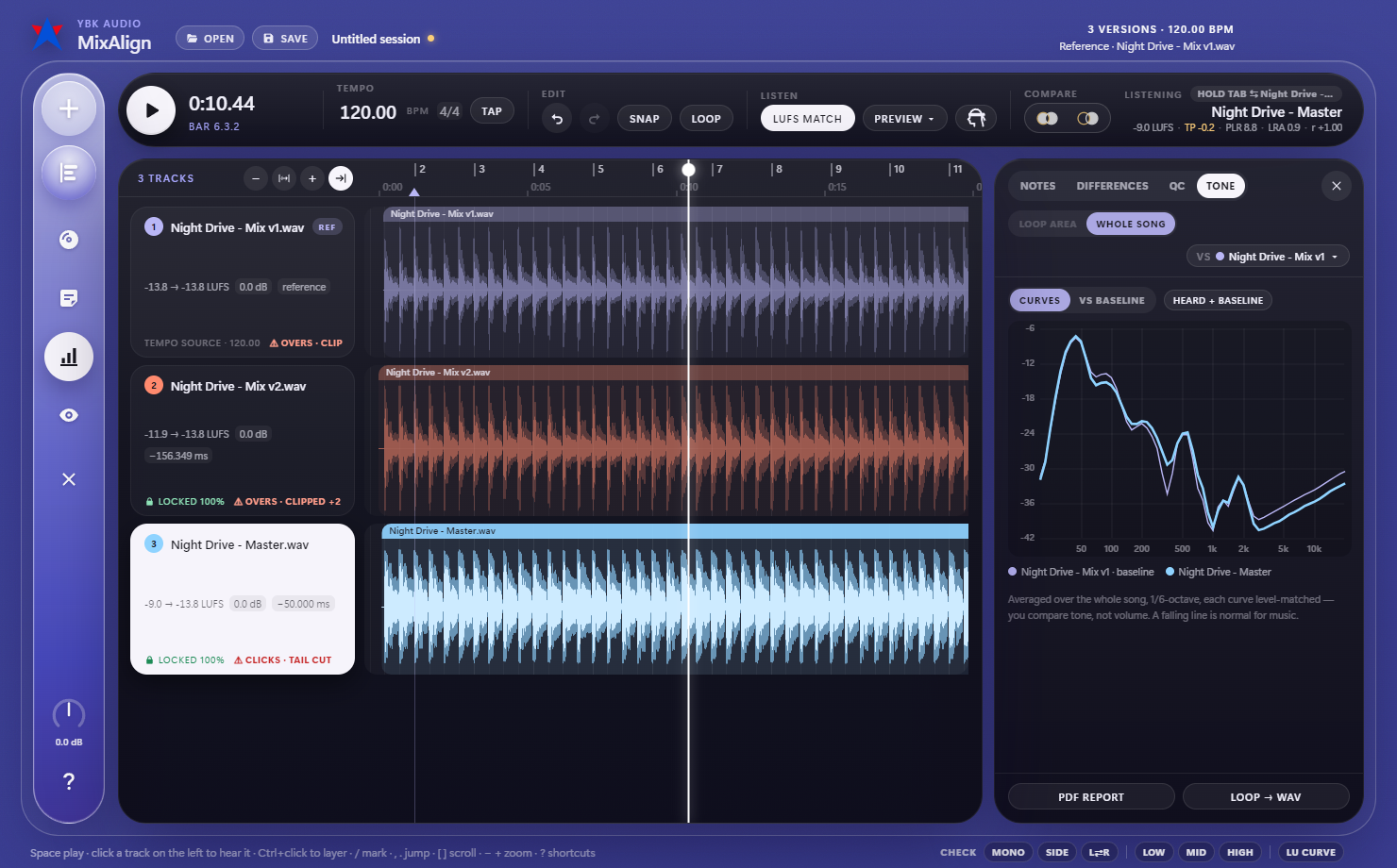
| Analysis | Differences in plain words · loudness curve · tonal balance · mastering QC · PDF report · loop export to WAV |
| Sessions | Saves the files, alignment, names, colours, notes, marks and loops |
| Platform | Windows 10 / 11, 64-bit · Mac (beta), Apple Silicon and Intel |
| Licence | One computer at a time — move it to a new one from About › Release license |
| Price | $19 until 30 November, then $25 — one-time, no subscription · 7-day free trial |
The easiest DAW for beatmaking
Fig. 1 — A full beat idea in one click Click to enlarge
Beatmaker is still being built, so it isn't for sale yet. There is no way to pay for it until it's finished.
Beatmaker is still in development, so there is nothing to sell you today — and this button is deliberately not wired to a payment page rather than taking your money for something unfinished.
Three things have to land before this button goes live:
One computer at a time — please read. Your code runs on one computer at a time. Changing computers? Open Settings in the app on the old one and press Release license, then enter the code on the new one. If the old computer has broken down, write to us and we’ll release it for you. A license can be moved once every 30 days.
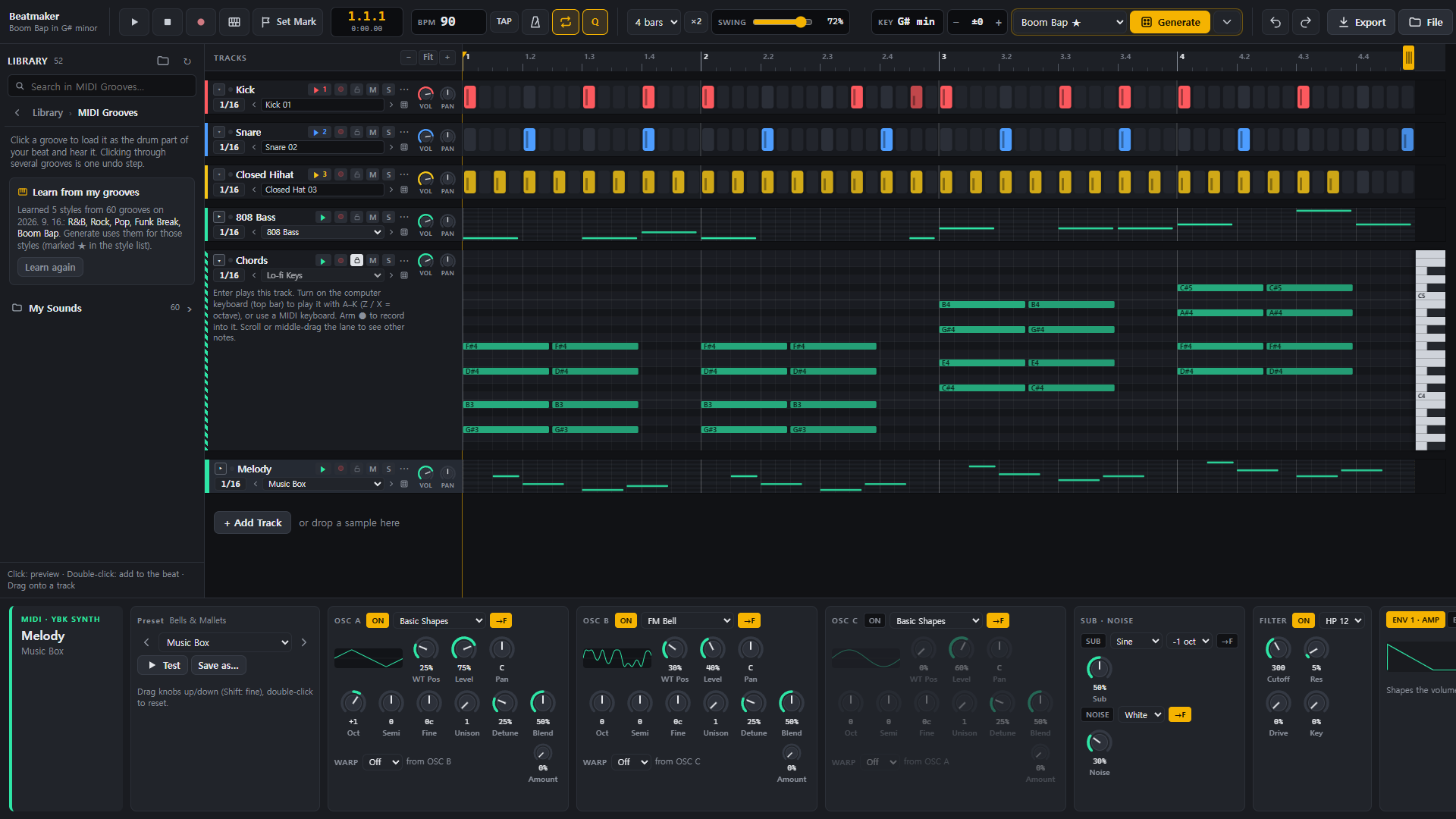
Simplistic beat programming – a DAW made just for the casual beat programmer. We minimized the hassle of setting up tracks, routing and menus before you hear a single beat, and made a DAW that is incredibly easy to use.
Need some ideas? Auto-generate drum patterns according to the BPM and genre you choose. Learned from 5000+ grooves, the Generate button can be the perfect songstarter, even for professionals.
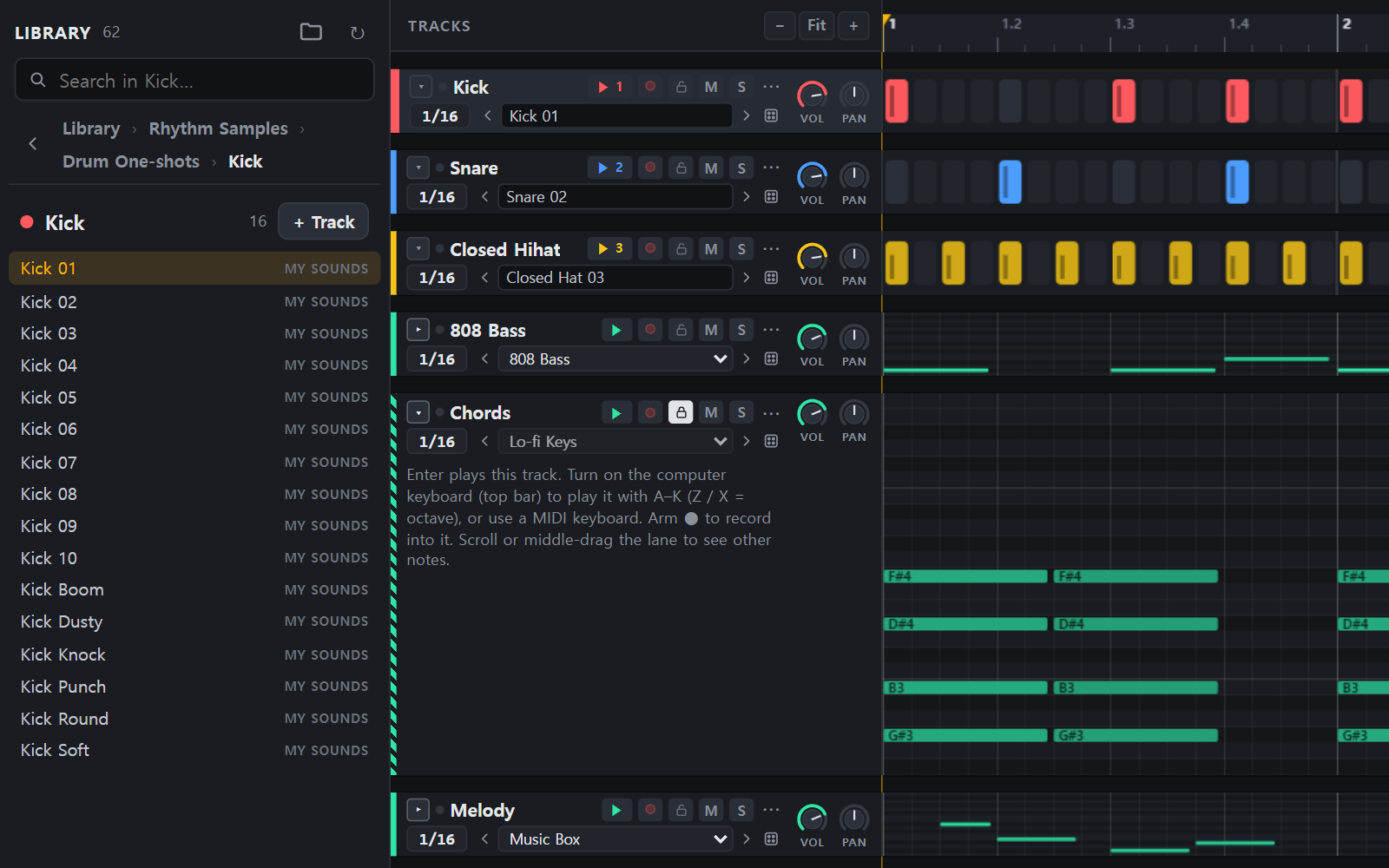
Got no samples? Don’t worry. With the purchase comes 5000+ drum samples and our own synthesizer presets that you can grab after the first purchase.
Boom bap to amapiano. Every genre has its own drum patterns, scales, named chord progressions, bass styles and fills.
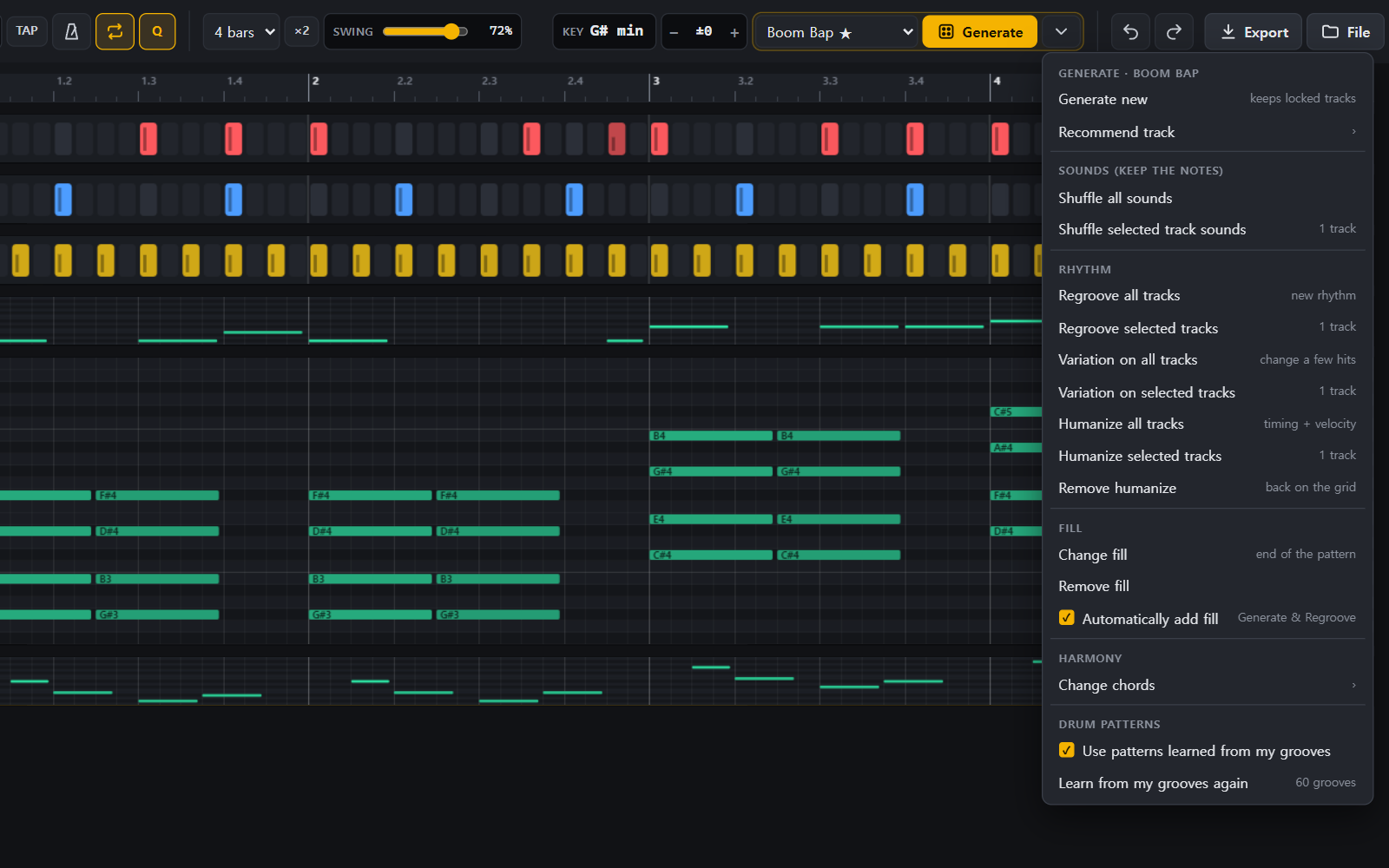
New beat, shuffle sounds, regroove, variation, humanize, fills, change chords — press them one after another until it’s right.
Finds the sample folders on your drives and sorts one-shots into drum types and sound families. Your files are never moved or changed.
Studies the drum grooves you own for shared patterns, accents, swing and pocket, then uses them when it generates. The result stays on your PC.
Locked tracks are skipped by every generate tool, while mute, solo, volume and pan still work.
Detects the key, keeps bass and melody in scale, and moves every track to a new key with a single drag.
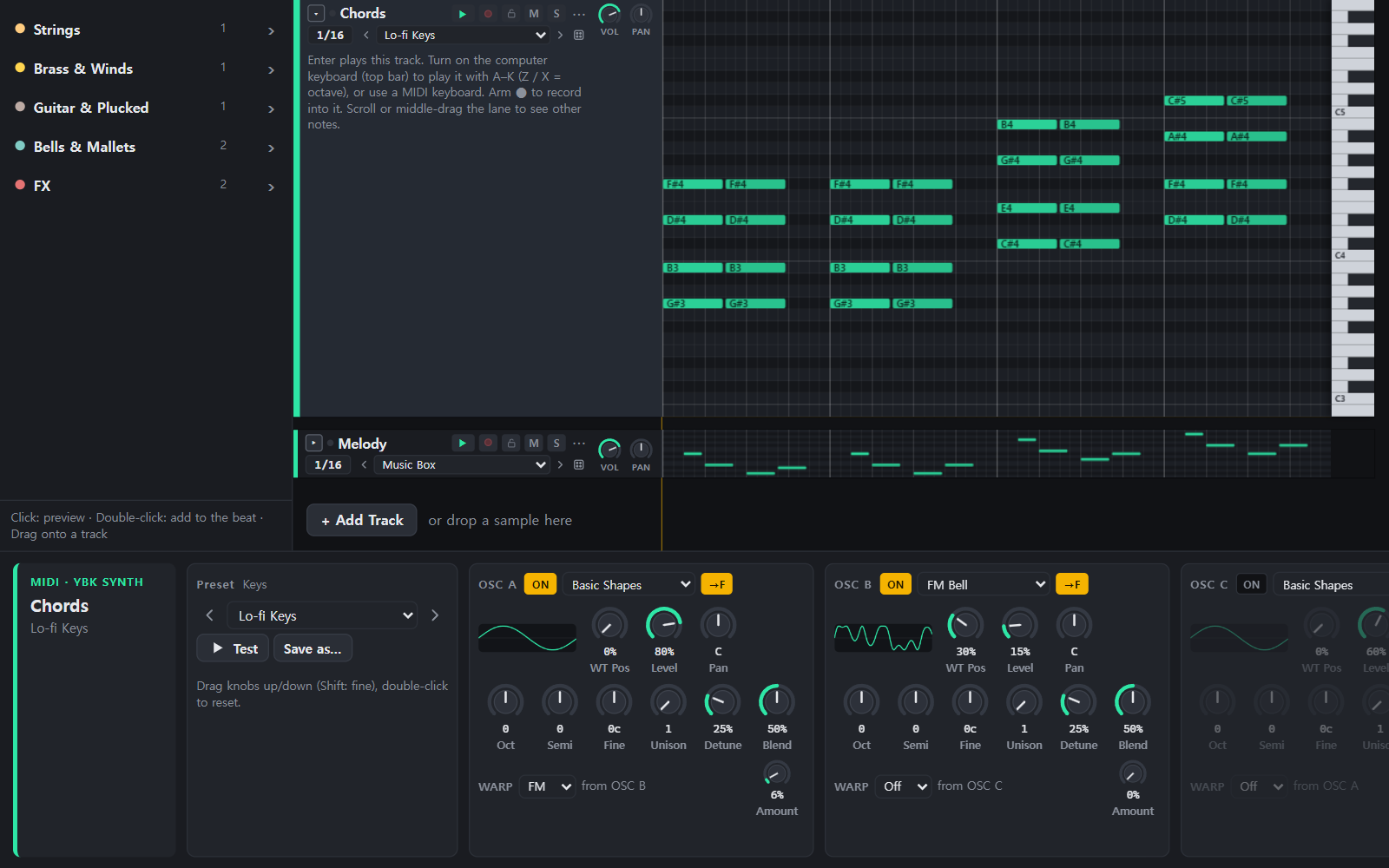
Three wavetable oscillators, filters, envelopes, LFOs and 808-style glide — bass, keys, leads, pads, plucks and more.
WAV, AIFF, FLAC or MP3, as one mix or one file per track — plus project files that carry their samples to another PC.
Nothing else to buy. Beatmaker comes with YBK Drums, 4,208 drum one-shots we made ourselves for its 29 genres, and it also uses the one-shots, loops and MIDI grooves already on your computer. It opens in its own window using Microsoft Edge or Google Chrome, and MP3 export needs ffmpeg.
| Hip hop | Boom Bap · Trap · Drill · Lo-fi · Phonk · Jersey Club |
|---|---|
| R&B & pop | R&B · Pop · K-Pop · Synthwave · Future Bass |
| Band | Rock · Punk · Metal · Funk Break · Jazz · Blues & Country |
| Dance | House · Techno · UK Garage · Drum & Bass · Dubstep · Disco |
| Latin, Caribbean & African | Reggaeton · Dancehall · Reggae · Afrobeats · Amapiano · Baile Funk |
| Type | Standalone desktop application |
|---|---|
| Tracks | Rhythm · MIDI synth · Sampler · Audio |
| Generates | Drums, bass, chords, melody and fills |
| Patterns | 4/4, 1–8 bars |
| Export | WAV · AIFF · FLAC · MP3 · MIDI · stems · project file |
| Play in | Computer keyboard or MIDI keyboard |
| Requires | Microsoft Edge or Google Chrome · ffmpeg for MP3 |
| Samples included | YBK Drums — 4,208 drum one-shots, made by YBK AUDIO |
| Platform | Windows 10 / 11 |
| Licence | One computer at a time — move it to a new one from Settings, once every 30 days |
| Price | $20.00 — one-time, no subscription |
A live mixing console for your PC audio
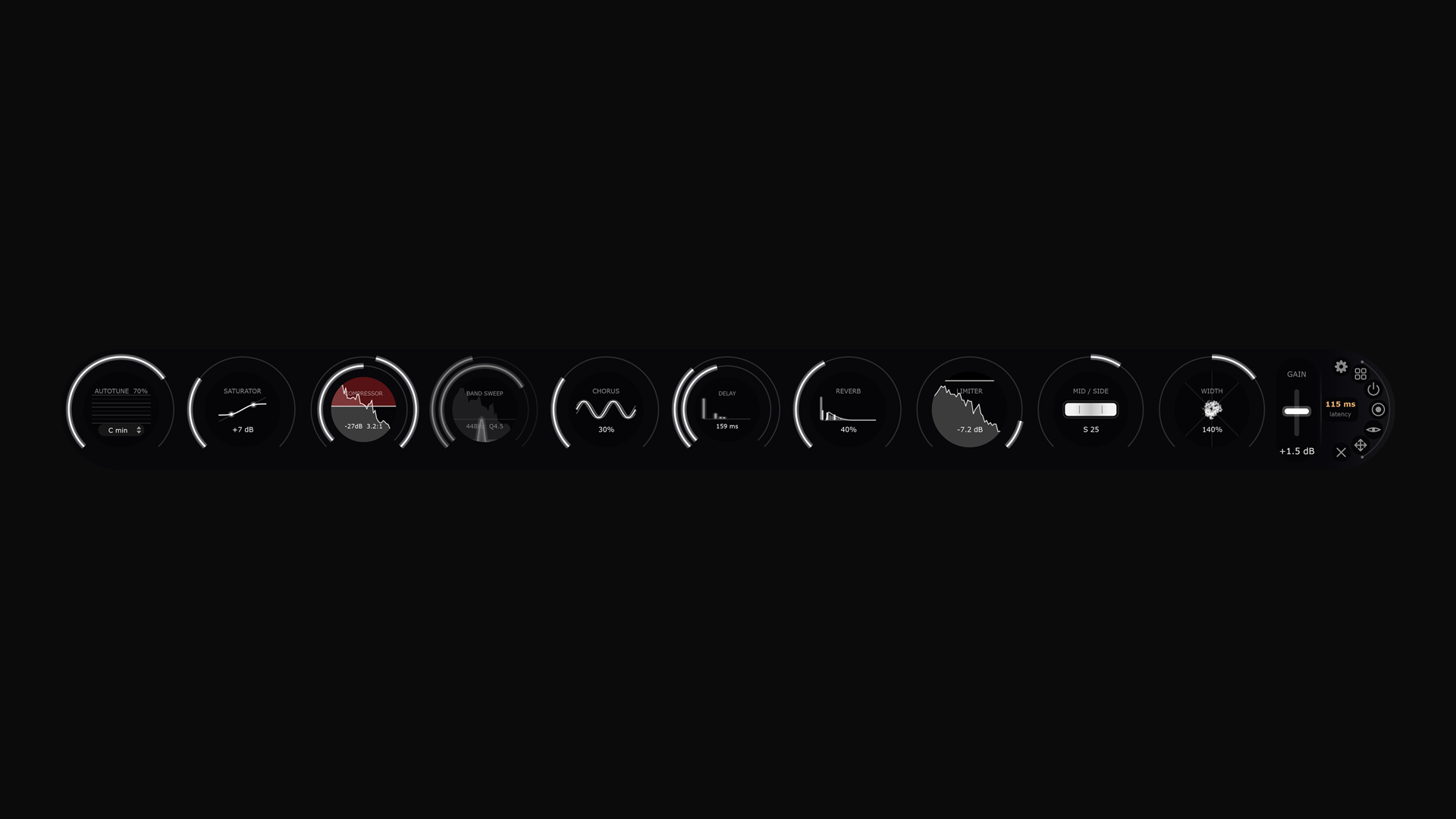
Fig. 1 — Eleven live modules on one capsule Click to enlarge
MultiConsole is still being built, so it isn't for sale yet. There is no way to pay for it until it's finished.
MultiConsole is still in development, so there is nothing to sell you today — and this button is deliberately not wired to a payment page rather than taking your money for something unfinished.
Three things have to land before this button goes live:
One computer at a time — please read. Your code runs on one computer at a time. Changing computers? Open Settings in the app on the old one and press Release license, then enter the code on the new one. If the old computer has broken down, write to us and we’ll release it for you. A license can be moved once every 30 days.
Ever imagined A Desktop FX Chain? Change the state and visibility of any knob and line them up the way you want. Mix YouTube vocals live. Mess with your favorite song. Even, analyze and hear different frequencies using our Band Sweep. MultiConsole has all audio effects you need, and it awaits your touch.
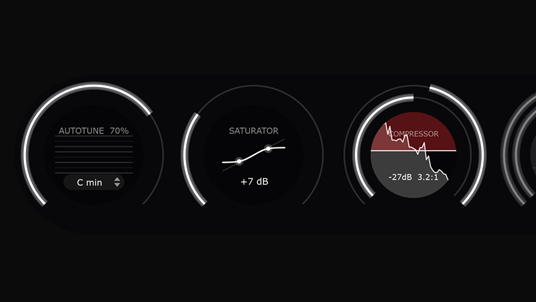
Analyze and Experiment using our 11 knobs to hear what your whole computer sound would be like with a little touch. The app provides Autotune, Saturator, Compressor, Band Sweep, Chorus, Delay, Reverb, Limiter, Mid/Side, Width and Gain that you can move around in your desktop or minimize.
Whatever is playing on your PC passes through the same chain, so one setting works on a song, a video and a game alike.
Turn up a compressor or a reverb and the ratio, make-up gain, room size and mix follow together. Every module starts neutral.
A spectrum, a stereo image, an echo timeline, a piano roll of corrected pitch — each knob’s dark centre shows its own effect as it happens.
One button records the final output to a 24-bit stereo WAV file on your computer, without dropouts.
A pill-shaped window with adjustable background transparency, horizontal or vertical, that hides to the system tray.
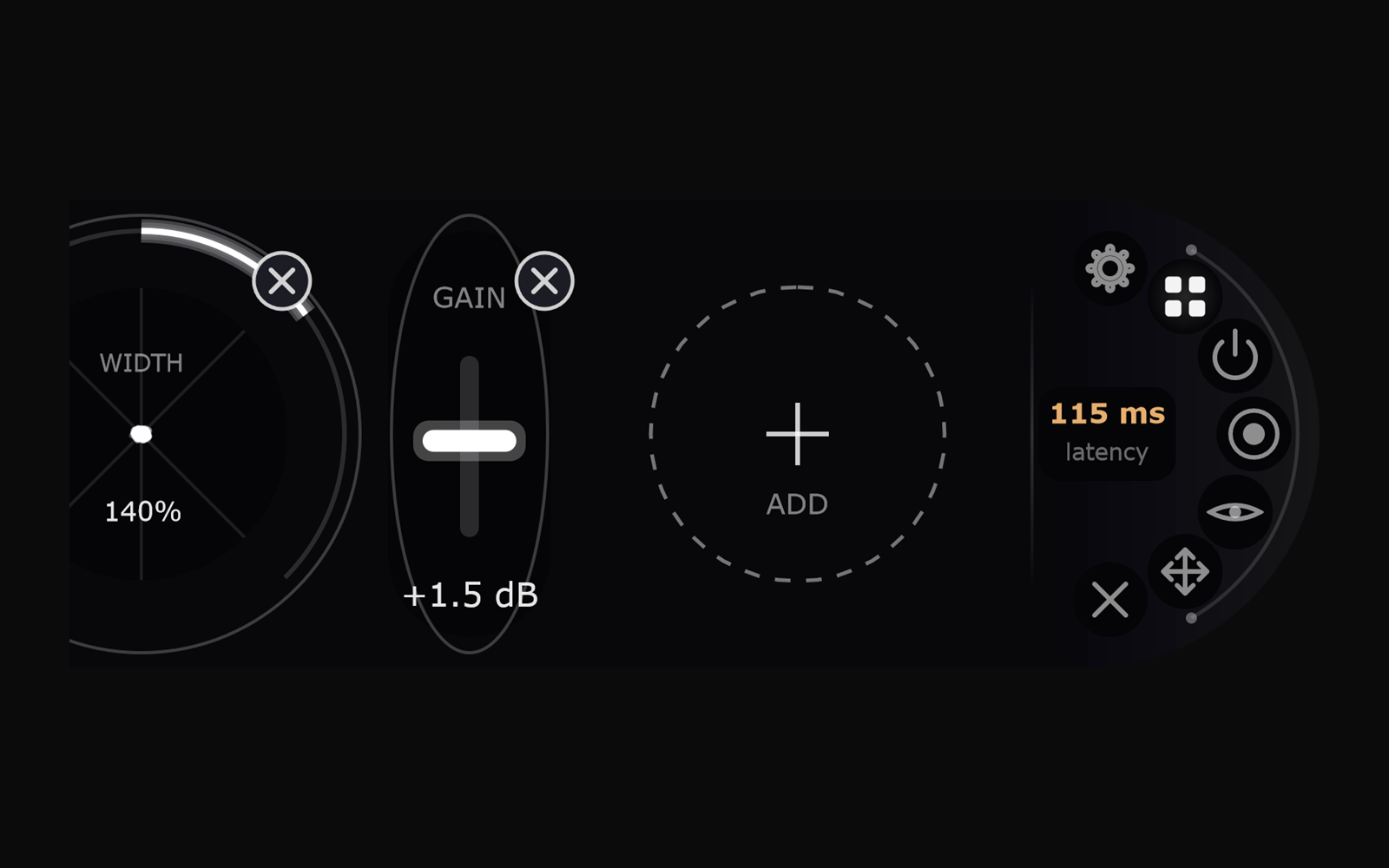
Reorder the effect chain by dragging knobs on the capsule itself. A switched-off knob stays visible in grey, so its setting is never lost.
Bypass the whole chain with a 20 ms crossfade and come straight back — every change ramps instead of popping.
Driver input and output, buffer and module delay are added up and displayed on the capsule. Settings save automatically.
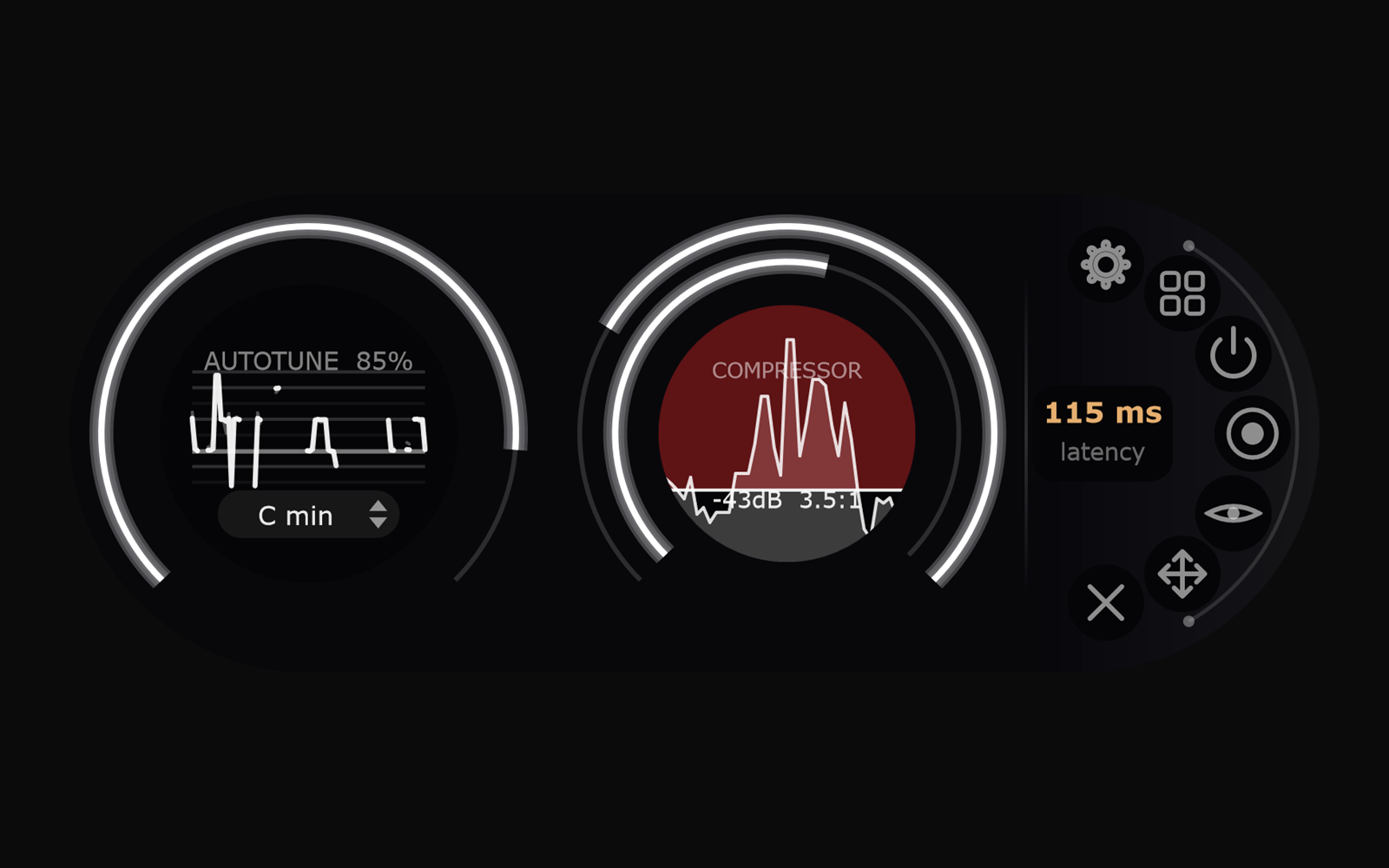
| Autotune | Hard, glide-free snap to the nearest note in your key — Chromatic or any of 24 major and minor keys. Works on vocals and on full mixes; breath and texture are left alone. About 85 ms latency while on. |
|---|---|
| Saturator | Drive 0 to +24 dB with automatic level matching, so the texture changes and the volume doesn’t. 4× oversampled. |
| Compressor | Outer ring sets threshold (0 to −60 dB); inner ring raises ratio (1:1 to 10:1) and make-up gain together. Over-threshold energy glows red on a live spectrum. |
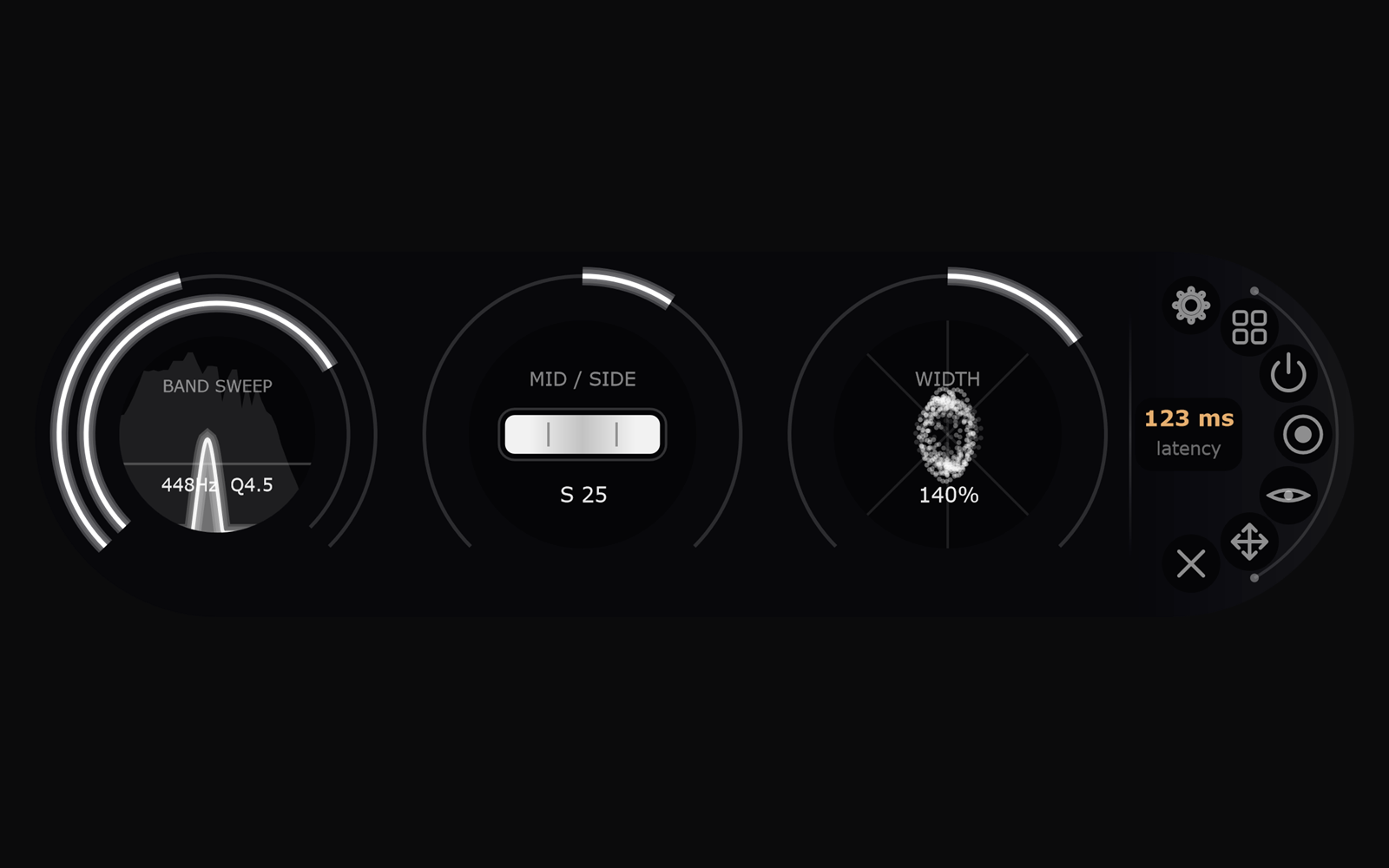
| Band Sweep | Hear only one band. Outer ring sweeps 20 Hz – 20 kHz, inner ring scales the width 0.25× – 4×. 48 dB/oct slopes on both sides, with automatic loudness make-up. |
| Chorus | One knob raises depth, speed and mix together. |
| Delay | Stereo echo. Outer ring sets echo level and repeats; inner ring sets the gap, 20 ms to 2 s. The centre flashes an echo timeline in time with the music. |
| Reverb | One knob grows the room size and the reverb level together. |
| Limiter | Brick-wall limiter. Turning up lowers the ceiling from 0 to −60 dB; it only reduces, never adds level back. |
| Mid/Side | −100 is mid only, 0 is untouched, +100 is side only. |
| Width | 0% mono, 100% untouched, 200% twice as wide — shown as a live stereo-image cloud. |
| Gain | −24 to +24 dB output fader. |
| Type | Standalone desktop application — not a plugin |
|---|---|
| Processes | All system audio, in real time |
| Modules | 11, reorderable, each with its own on/off |
| Recording | 24-bit stereo WAV of the final output |
| Latency | Shown live; depends on your driver and which modules are on |
| Presets | Save and load; current state saves automatically |
| Requires | Free VB-Audio Virtual Cable, or an interface with loop-back |
| Platform | Windows 10 / 11 |
| Licence | One computer at a time — move it to a new one from Settings, once every 30 days |
| Price | $10.00 — one-time, no subscription |
Music-making work leaves a lot of room to wonder. Our team wondered if we could make better, easy-to-use (and NEW) software for not just professional use, but for beginner-intermediates as well. Our team leader being a middle-level music producer himself, we had the ideas and the incentive to make the best software ourselves.
Why open a DAW to play an instrument?
Play your VSTs without opening the DAW. Switch between massive instrument banks with little latency.
No one said idea generation had to start in a heavy DAW. Instrument Player helps you get closer to your instruments without having to enter work mode all the time.
It remembers what you play. The app provides MIDI replay, which brings back the last 5 minutes of your playing. Load up your sudden ideas and make small edits via the MIDI editor, and export the .mid file for later use.
Your whole computer sound, retuned
An idea from the 432Hz trend – what if you could retune your computer’s entire audio output to your liking? YBK AUDIO’s light app 432Hz does that in a very simple and easy way.
Open the spectrum graphs to see the frequency change as the numbers go down and up. This app is great both for visual analysis, teaching and everyday listening.
Who knows, maybe hearing everything in 432Hz really is good for you.
The ultimate 3D Stereo Imaging tool.
The idea came from a mixing course – what if we could Visualize the locations of each sound in a mix? The pad at the back, the bass and kicks at the bottom, mono and stereo instruments kicking in right and left, the vocals. We were working on that idea when we came up with an idea to extend a stereometer by frequency.
You can find stereo imaging anywhere. But not in 3D.
Visualize proposes a new way of stereo image analysis. From a cylinder-shaped Vectorscope stacked up every frequency, to a monitoring environment that measures Mono loss, we provide groundbreaking 3D graphs you can use to analyze a song’s phasing. Use the app standalone or as a plugin.
Compare every version of your song, aligned to the sample.
Switch instantaneously between different versions to hear differences. One click and you will be hearing another version of your mix with no delay – all easily possible because we auto-align your uploaded mixes with beat detection. Also you can check the analysis panel, which provides written description on differences between versions. The app provides difference/null buttons to hear just the differences, so you can check and compare yourself.
Blind test & Annotate. Hide track names and test your decision on what’s better. Rate each track you go through with stars to come back to them. When you’re sure on what you think is best, make the big reveal to find out which track to share. Also while sharing, you can leave your thoughts on the timeline of each track and export them as PDF for whoever to see.
The easiest DAW for beatmaking
Simplistic beat programming – a DAW made just for the casual beat programmer. We minimized the hassle of setting up tracks, routing and menus before you hear a single beat, and made a DAW that is incredibly easy to use.
Need some ideas? Auto-generate drum patterns according to the BPM and genre you choose. Learned from 5000+ grooves, the Generate button can be the perfect songstarter, even for professionals.
Got no samples? Don’t worry. With the purchase comes 5000+ drum samples and our own synthesizer presets that you can grab after the first purchase.
A live mixing console for your PC audio
Ever imagined A Desktop FX Chain? Change the state and visibility of any knob and line them up the way you want. Mix YouTube vocals live. Mess with your favorite song. Even, analyze and hear different frequencies using our Band Sweep. MultiConsole has all audio effects you need, and it awaits your touch.
Analyze and Experiment using our 11 knobs to hear what your whole computer sound would be like with a little touch. The app provides Autotune, Saturator, Compressor, Band Sweep, Chorus, Delay, Reverb, Limiter, Mid/Side, Width and Gain that you can move around in your desktop or minimize.
Beatmaker and MultiConsole are still being built. Leave your email and you’ll get one email when they’re ready to buy.
We will give you one email when the app is ready.